
How to Protect Your Privacy When Using AI Tools
Protect your privacy when using AI tools with a practical workflow for removing personal details, checking data controls, handling files, and reviewing shared links.

On this page
How to Protect Your Privacy When Using AI Tools
An AI tool may help you rewrite an email, explain a bill, summarize a document, or plan a week. The quickest way to ask is often to paste the whole thing. Before you do, ask a smaller question: what information does the tool actually need?
Prompts, uploaded files, generated answers, saved chats, and shared links can all contain details about you or someone else. Services differ in how they store and use that information, and their settings can change. This guide gives you a repeatable way to reduce what you share and check where it might go.
First, sort the information
Look at the material before opening the AI tool. A useful quick sort is:
| Information | Example | First move |
|---|---|---|
| Public or invented | A fictional meeting agenda | Usually suitable for a simple experiment |
| Personal | Your address, account number, health history, or private messages | Remove it unless it is essential and you understand the tool's handling of it |
| Someone else's | A coworker's evaluation or a child's photo | Do not share without a clear right and reason to do so |
| Work or client confidential | Unreleased plans, source code, customer records | Use only an approved tool and follow your organization's rules |
| Secrets | Passwords, API keys, recovery codes | Never put them in a prompt or upload |
The Office of the Privacy Commissioner of Canada advises limiting personal information in AI chats, changing identifying details where possible, and avoiding information about other people and minors. For organizations, the Australian privacy regulator recommends particular caution with personal or sensitive information in publicly available generative AI tools. Rules for a specific workplace or jurisdiction may be stricter.
Rewrite the task, not the person's life
Suppose you want help making a message sound calmer. Here is a fictional draft you should not paste into a public tool as written:
Please rewrite my message to Jordan Lee at 18 Oak Street about their daughter Maya's medical appointment on November 12. Her patient number is 004738. I need to move our tutoring session.
The writing task needs the tone and purpose, not the names, address, medical detail, or patient number. Try this instead:
Rewrite this short message in a warm, clear tone: “I need to move our tutoring session because of a scheduling conflict. Could we choose another afternoon?” Keep it under 60 words.
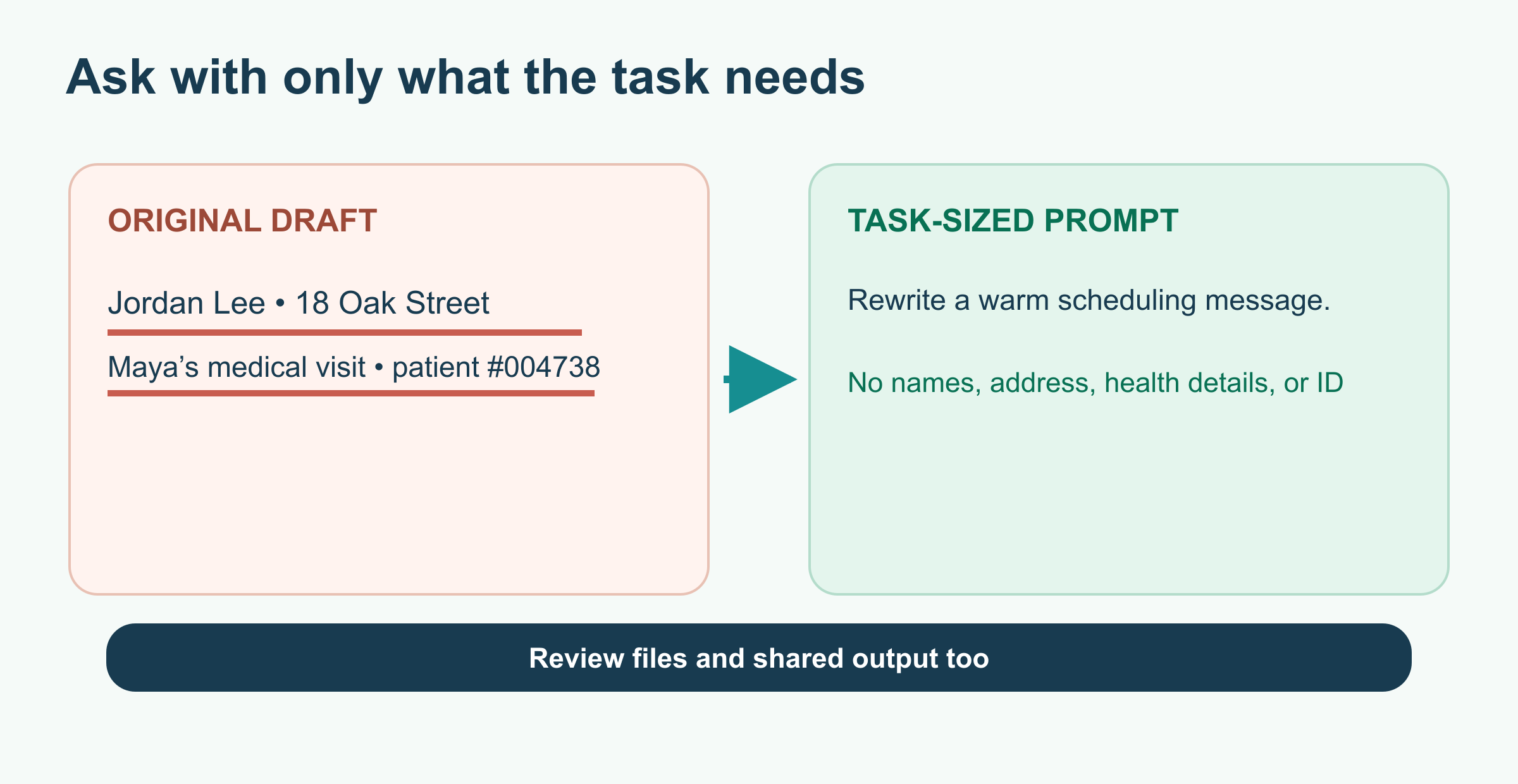
The goal is to keep the instruction and discard the identifiers. The invented example above still asks for a warm scheduling message, but the AI does not need to know who is involved or why the appointment changed.
If a document is necessary, make a separate copy first. Remove unnecessary names, account numbers, contact details, hidden comments, and identifying file names. Check screenshots for notifications and tabs; inspect files for pages or metadata you did not mean to include. Replacing only the name may not be enough if the job title, small town, exact date, and unusual event still identify the person.
Check the service before you submit
Open the provider's current privacy notice and account settings. Look for these questions:
- Use: Can your prompts, answers, or files be used to improve models? Is there a choice?
- Retention: How long can chats and uploads remain, including after you delete them?
- Memory: Can information be saved for later conversations? Can you inspect and clear it?
- Access: Who in a shared workspace or connected service can see the material?
- Sharing: Can a conversation or output be published through a link? Who can open that link?
Do not assume that a “temporary,” “private,” or “incognito” label means zero retention. Check what that term means for the service and account you use. For example, OpenAI's consumer data guide describes separate controls for model improvement, memory, and temporary chats, and says available options depend on the account and workspace. It also describes retention for safety even when a temporary chat stays out of history. Other providers have different policies.
If you are working for an organization, confirm that the specific tool and account are approved for that data. A personal account and a managed work account can have different terms and controls. Turning off one setting does not grant permission to upload restricted material.
Watch what you share afterward
Privacy does not end when the AI replies. Before copying an answer into an email, document, or post, check whether it repeats names or sensitive facts from the prompt. Before sharing a conversation link, preview exactly what the recipient will see, including earlier messages and supported attachments.
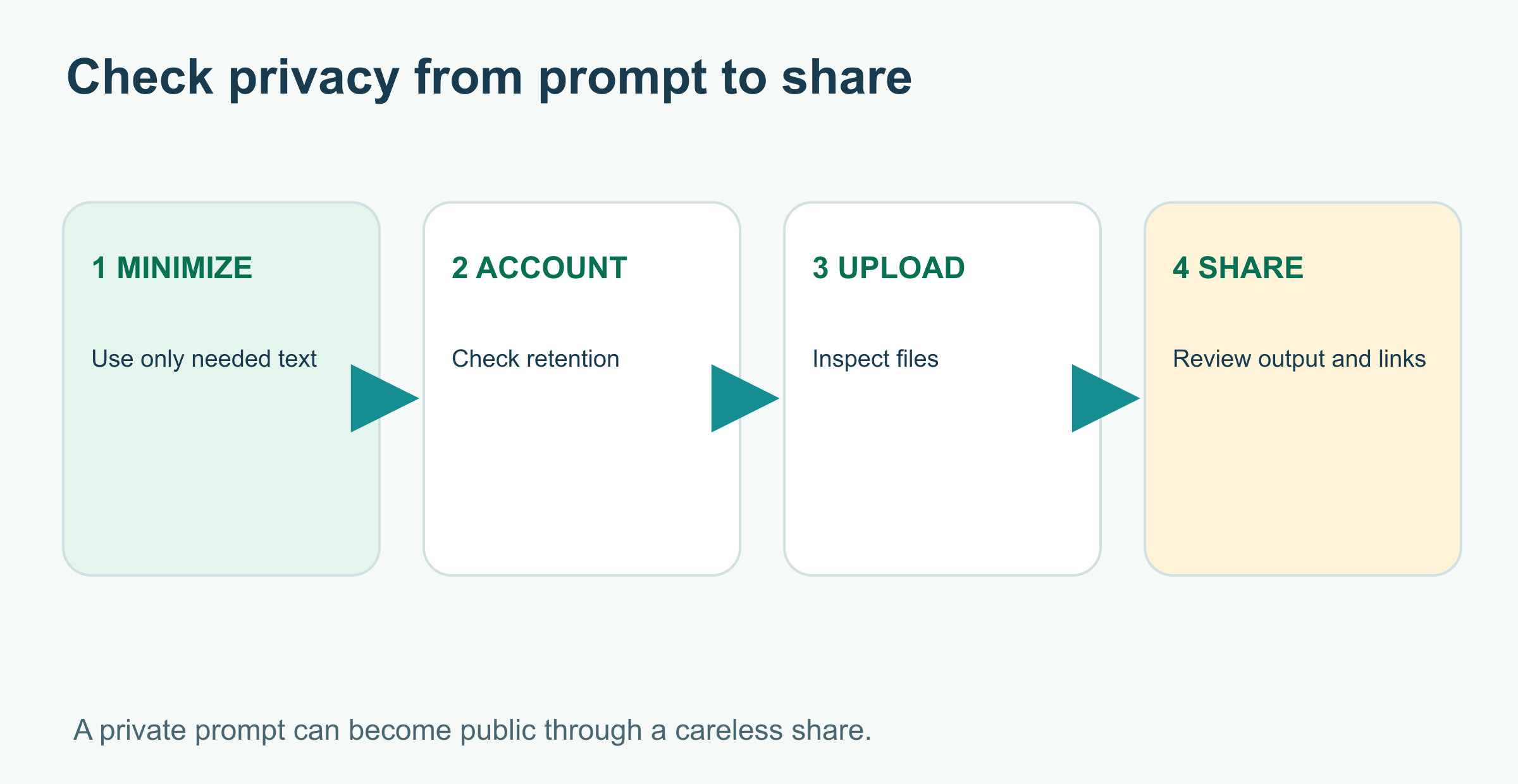
Treat this as a whole-task check. Removing a name from the prompt helps, but the same detail can still be in an attachment, a saved chat, or the result you share.
For a concrete example, OpenAI says a shared ChatGPT conversation from a personal account can be viewed by anyone with its link. Workspace sharing works differently. The safest habit is to copy only the needed result into a fresh document and review that document, instead of sharing an entire chat by default.
Also review connected apps. An AI tool with access to cloud files, email, or calendars may be able to retrieve more than the text you typed. Check each connection's permissions and disconnect anything you no longer need.
If you shared something by mistake
Act promptly, but do not assume one delete button can undo every copy:
- Stop sharing the conversation or file; remove any shared link you control.
- Use the service's controls to delete the chat or upload and review account settings.
- If a password, API key, or recovery code was exposed, change or revoke it through the account that issued it.
- If the material belongs to work, a client, or another person, follow the relevant reporting process and tell the responsible person or team.
- Record what was shared, where, and when, so you can give an accurate account if needed.
Deleting a shared link may stop future access to that link without deleting copies someone already saved; OpenAI makes that distinction in its sharing guidance. Other services may work differently. Avoid making promises about complete removal that you cannot verify.
A one-minute privacy check
Before using an AI tool, ask:
- Can I solve this with public, fictional, or shortened information?
- Am I sharing someone else's data, a secret, or restricted work material?
- Do I know this account's current retention, model-improvement, memory, and sharing settings?
- Have I checked the full file, screenshot, or conversation—not just the visible sentence?
- Would I be comfortable if the intended recipient saw everything I am about to share?
Use AI for the part that needs help, and keep the rest out of the prompt. For broader everyday uses, see How to Use AI in Your Life; for workplace decisions, see How to Use AI at Work.
Further reading
Read next
How to Check an AI Answer Before You Use It
AI can give a useful answer with a wrong date, invented quote, or bad total. Learn a five-step check you can use before acting on its response.
 nbkhope
Production MCP Server Architecture and Security
Design a production MCP server that scales and stays safe: stateless request handling, OAuth and per-tool authorization, tenant-safe caching, observability, resilient downstream calls, and a practical rollout checklist.
nbkhope
Connecting an MCP Server to an AI Application
Connect an MCP server to an AI app, discover its tools, and route the model’s tool requests safely. See the client loop, local vs. remote transports, and where your app still needs to make decisions.
nbkhope
Comments
Be kind and specific. Comments with links from new accounts appear after a moderator reviews them.