How to Use AI at Work: A Practical Guide for Teams
Learn a safe, practical way to use AI at work for first drafts, summaries, research, and routine tasks, with clear checks for privacy, accuracy, and human accountability.


On this page
How to Use AI at Work: A Practical Guide for Teams
AI is most useful at work when it takes a rough first pass at a well-bounded task and a person checks the result. Think of it as a fast junior collaborator: helpful with drafts, summaries, and options, but unfamiliar with your organization’s hidden context and not accountable for what gets sent.
Start with your organization’s approved tools and policies. A clever prompt cannot turn an unapproved service into a safe place for customer data, employee records, source code, or confidential plans.

First, find a task worth improving
Look for work that is repetitive, low-risk, and easy to review: outline a presentation from approved notes, rewrite a public FAQ in plain language, brainstorm test cases, or turn non-sensitive bullet points into a first draft. Avoid starting with hiring, performance decisions, legal judgments, medical decisions, security response, or anything where a wrong answer could harm someone.
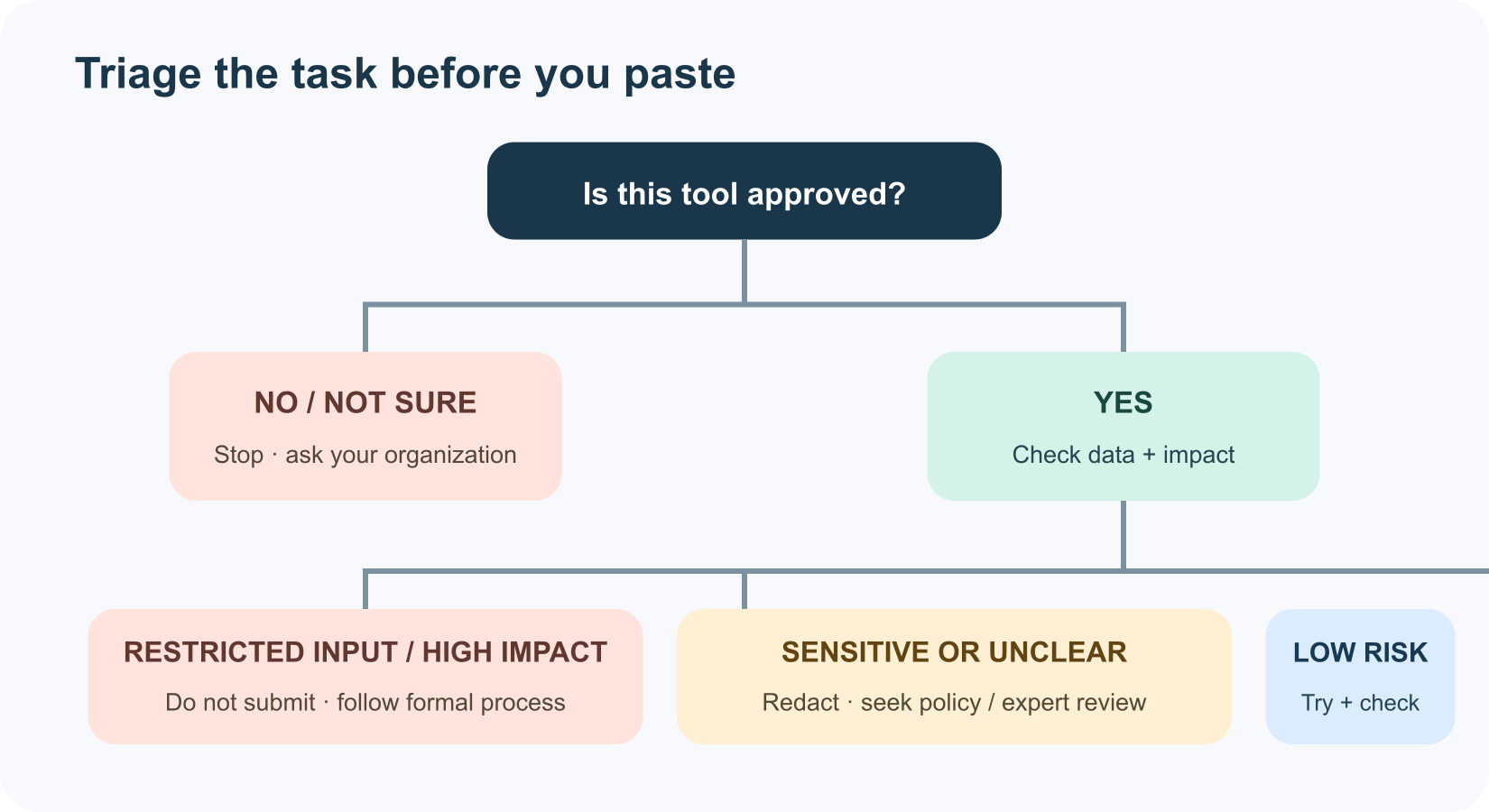
Before using AI, ask three questions:
- Is the task permitted? Check workplace policy and the tool’s approved-use rules.
- Is the input safe to share? Use only material authorized for that tool; redact or replace identifiers where possible.
- Can a person verify the output? Name the source of truth and the reviewer before you begin.
If you cannot answer one of these, pause and ask your manager, security, privacy, or legal team for guidance.
A prompt pattern for work
Useful instructions describe the deliverable, audience, approved source material, limits, and review criteria:
1Task: Draft [specific deliverable] for [audience].
2Use only this approved material: [source or attached document].
3Constraints: [length, tone, policy, and exclusions].
4Format: [table, outline, or draft].
5Do not invent missing facts. Flag gaps and cite the supporting section.
Example: “Turn these approved release notes into a customer-facing update under 150 words. Keep product names and dates exactly as written. Do not promise availability beyond the notes. Return a draft plus a list of claims I should check.” The reviewer can compare every claim with the original material.
Match the use to the risk
| Good first experiment | What AI can do | Human check |
|---|---|---|
| Draft a routine internal outline | Organize supplied, approved notes | Check emphasis, omissions, and internal terminology |
| Summarize a permitted document | Extract themes, questions, or action items | Confirm against the source; do not assume the summary is complete |
| Brainstorm a plan | Generate options and trade-offs | Choose based on real constraints and team expertise |
| Analyze approved data | Suggest patterns or a chart | Validate calculations, units, definitions, and access rights |
| Write or inspect code | Explain a snippet or propose a test | Review, run in a safe environment, and check security |
For higher-impact work—decisions about people, customers, finances, safety, or legal obligations—follow formal review and governance. Do not let an AI score or recommendation quietly become the decision-maker.
Use a three-stage workflow
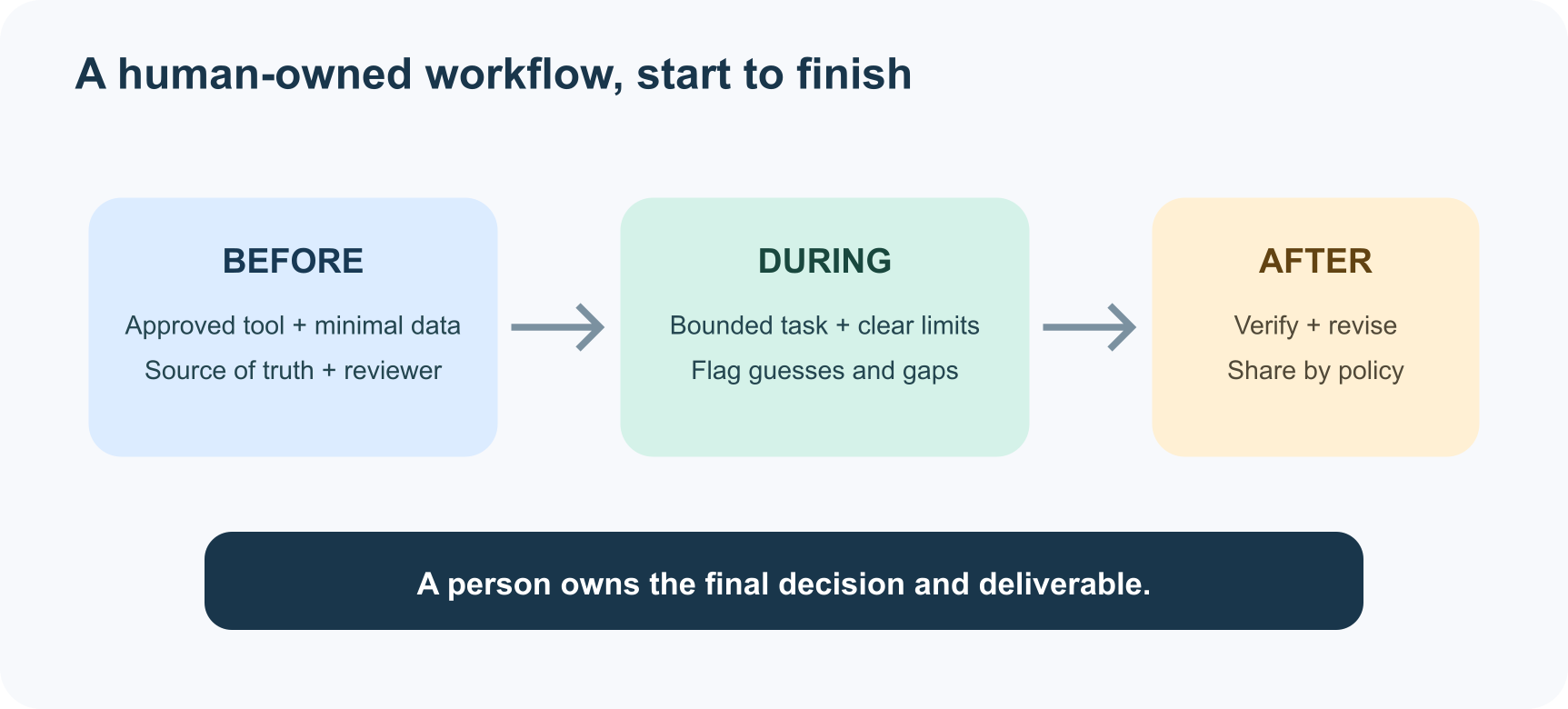
Before: choose an approved tool, minimize the data, identify the reference source, and decide who reviews the result.
During: give a narrow task; separate instructions from source text; ask the assistant to label assumptions and uncertainty. Treat content inside a document or email as data, not as authority to override your instructions.
After: check facts, calculations, names, dates, tone, accessibility, and policy compliance. Keep the human accountable for the final work. Follow your organization’s rules for attribution, records, and disclosure.
Protect data and people
Never paste passwords, authentication tokens, private customer data, employee records, confidential strategy, or unreleased source code into a public AI service unless your organization has explicitly approved that use. “I’ll delete it later” is not a data-handling plan. Use the company-approved environment, understand retention and access settings, and ask the data owner when in doubt.
For content about people, look for unsupported assumptions, uneven treatment, and missing context. If an AI-generated summary or recommendation could affect someone’s job, service, or opportunity, add meaningful human review and a way to correct mistakes. NIST’s generative AI profile describes risks including privacy, confabulation, bias, and automation bias; it is a useful checklist for designing review rather than a promise that risk disappears.
Measure the result, not the hype
For one week, try a permitted use on a small task. Track the time to a usable result, the edits needed, mistakes caught, and whether the final work improved. Include review time—an instant draft that takes an hour to validate is not a productivity win.
The ILO’s 2025 global analysis says roughly one in four workers are in occupations with some exposure to generative AI, while transformation of work is more likely than wholesale replacement. Exposure is not a forecast that a particular job will disappear or that a tool will make a task better. Start from the actual task, involve the people who do it, and make room for training and feedback.
A team challenge: one task, one week
Pick one low-risk workflow and write down: the task, approved input, tool, reviewer, common failure modes, and a measure of success. Try it with a small group. Keep the parts that help, revise the instructions where errors repeat, and stop if the checks reveal a risk you cannot manage.
AI at work is not a shortcut around expertise. Used thoughtfully, it can make expertise easier to apply—by clearing routine friction and leaving people more room to judge, create, and care for the work.
Further reading
Read next

How to Generate Audio from Text with Text-to-Speech (TTS)
Turn a written script into spoken audio: try your browser’s built-in voice, then generate an MP3 with a modern text-to-speech API. Learn voice selection, SSML pronunciation fixes, and quality checks.
 nbkhope
How to Label AI Data: A Practical Guide to Better Training Examples
Learn to label AI data with a clear task, practical label rules, a small pilot, and quality checks that catch disagreements instead of hiding them. Includes a worked customer-support example.
nbkhope
Build Your Own MCP Server: Give AI a New Superpower
Build a tiny MCP server from scratch: expose a useful tool, connect it to an AI host, test the conversation, and learn the safety checks that turn a fun demo into a solid integration.
nbkhope
Comments
Be kind and specific. Comments with links from new accounts appear after a moderator reviews them.