How to Use AI in Your Life: A Practical Everyday Guide
Use AI as a practical helper for learning, planning, writing, and creative projects. Get prompt ideas, privacy tips, and a simple way to check the answers that matter.


On this page
How to Use AI in Your Life: A Practical Everyday Guide
AI can be a brainstorming buddy, a patient tutor, a first-draft machine, or the world’s most enthusiastic list maker. The useful trick is to give it a job with a finish line—and keep your own judgment in the driver’s seat.
Think of AI as a helpful but fallible sidekick. It can save you a blank page; it cannot magically know your priorities, guarantee a fact, or take responsibility for your decision.

Start with one small, real task
Pick something mildly annoying, not life-or-death: organize a busy weekend, practice a language, turn notes into a packing list, or get unstuck on a hobby project. Try this prompt recipe:
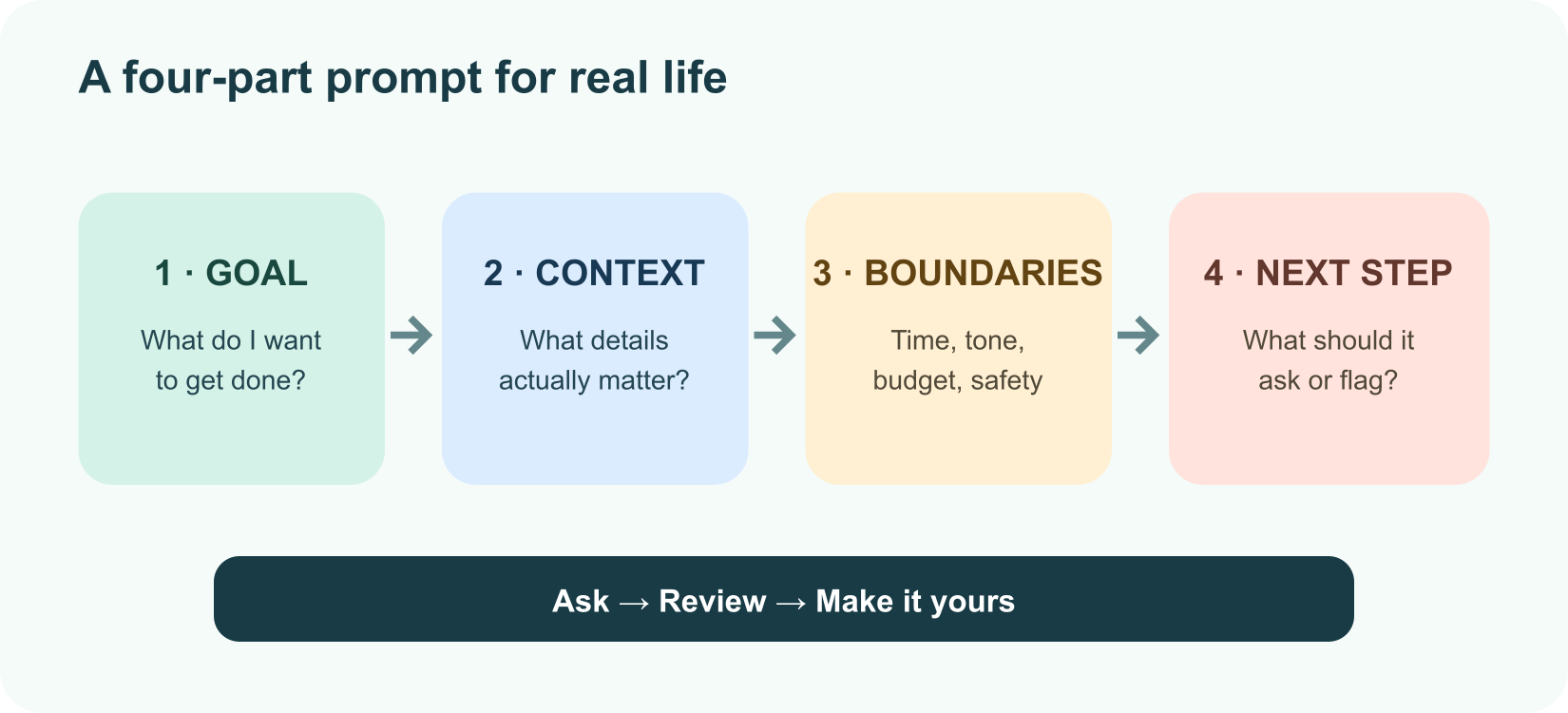
1Help me [specific goal]. Here is the relevant context: [details].
2Please [format or style]. Keep these limits in mind: [constraints].
3Ask me one question if a missing detail could change the result.
4Finish by telling me what I should check myself.
For example: “Help me plan three vegetarian dinners using chickpeas, spinach, and rice. Keep prep under 30 minutes, make one meal kid-friendly, and list anything I need to buy. Ask before assuming I have an oven.” That is a lot more useful than “What should I eat?”
Everyday jobs AI can help with
| Your day has… | Ask AI to… | Keep in mind… |
|---|---|---|
| A blank page | Brainstorm options, outline a note, or draft a polite message | Add your real voice and check the details before sending |
| A new skill to learn | Explain a concept simply, quiz you, or give graduated hints | Ask for examples and try solving some steps yourself |
| A busy week | Turn your own tasks into a schedule or checklist | You set priorities; AI does not know what matters most to you |
| A trip to plan | Suggest an itinerary and questions to investigate | Verify hours, prices, access, and travel details with current sources |
| A creative itch | Offer story prompts, project ideas, or alternate designs | Make the final choices and respect other people’s work |
| A confusing document | Summarize sections or explain unfamiliar language | Check the original, especially for contracts, bills, or official forms |
The best use often is not “do everything for me.” It is “help me take the next step.” Ask for three possibilities, a first draft, a practice quiz, or a list of questions to ask a human expert.
Make it a conversation, not a vending machine
The first answer is a starting point. Say what worked and what did not: “Keep the simple explanation, replace the example with one about gardening, and make the checklist fit on one screen.” You can also ask the assistant to show assumptions or ask a clarifying question before it guesses.
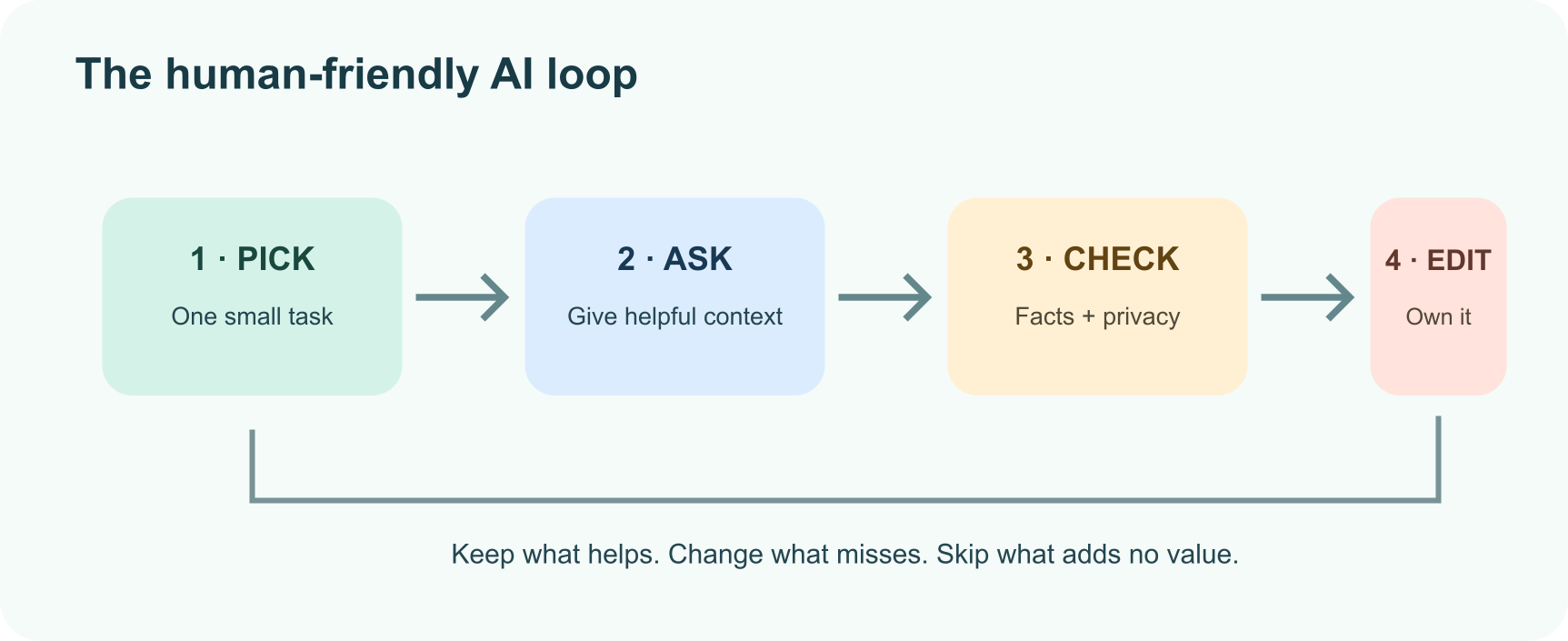
For learning, try: “Don’t give away the answer yet. Give me one hint, then wait.” For planning: “Give me a low-energy version and a rainy-day backup.” For writing: “Keep my meaning and make it warmer, not more formal.” Specific follow-ups turn a generic answer into something personal.
Keep your private life private
Before pasting a message, photo, or document into a tool, pause and ask whether the assistant needs those details. Remove names, account numbers, addresses, health information, children’s details, and anything someone trusted you to keep private. Review the tool’s current privacy settings and terms; different services handle chats differently. Canada’s Office of the Privacy Commissioner recommends limiting personal and identifying information shared with chatbots and checking privacy settings.
An AI chat is not automatically a diary, therapist, doctor, lawyer, or financial adviser. It can help you prepare questions or understand general language, but seek qualified human help for consequential personal decisions. For health questions, confirm with a clinician; for an urgent emergency, contact local emergency services.
Give important answers a fact check
AI can produce a smooth answer that is wrong, outdated, or missing an important exception. For anything that affects your money, health, safety, rights, or relationships:
- Ask where the claim came from and whether it may have changed.
- Open the original source yourself; a citation is a lead, not proof.
- Compare important claims with another reliable source.
- Ask a qualified person when the decision needs professional judgment.
Be extra cautious with urgent requests for money or secrets. Voice and image fakes can make impersonation more convincing; use a trusted, separate way to contact the person before acting. NIST’s generative AI profile discusses risks such as inaccurate outputs, privacy issues, and overreliance, and emphasizes trustworthy, verifiable information.
A seven-day “AI sidekick” experiment
Try one low-risk use each day: brainstorm a hobby, practice a new language, plan a meal, rewrite a note, make a packing checklist, get a beginner explanation, and invent a weekend project. After each try, ask: Did this save effort? Did I learn or decide something? What did I need to correct?
Keep the uses that genuinely help. Drop the ones that add more checking than value. The point is not to fit AI into every corner of life; it is to make a few chosen corners a little easier or more fun.
Further reading
Read next

What Is Meta Muse? A Guide to Meta’s AI Models and Tools
Meta Muse is a family of AI models and products from Meta, spanning its Meta AI assistant, multimodal reasoning, creative tools, and developer-focused agents. Here is what the name covers and what to know about its newest models.
 nbkhope
How to Use ChatGPT: A Practical Beginner’s Guide
New to ChatGPT? Learn how to ask better questions, work with files and images, use web search, projects, voice, and study tools, and check important answers before you rely on them.
nbkhope
What Is a Transformer in AI? The Idea Behind ChatGPT, Explained Simply
A friendly, jargon-free guide to transformers, the AI design behind ChatGPT, Claude and Gemini. Learn how "attention" lets AI understand words in context, what happens inside a transformer, and why it changed AI so quickly.
nbkhope
Comments
Be kind and specific. Comments with links from new accounts appear after a moderator reviews them.