
AI Search vs. Traditional Search: When Should You Use Each?
Use the same library-hours question in a link list and an AI answer. Compare source discovery, freshness, citations, and verification effort with a repeatable worksheet.


On this page
AI Search vs. Traditional Search: When Should You Use Each?
You want to visit a public library on a holiday. You search the web and get a list of pages. An AI search feature offers a direct answer with links. Which should you trust? The question is the same, but the path from source to answer is different—and either path can lead you to an old schedule or the wrong branch.
Use a fictional Harbor Library for the example below, then repeat the exercise with a real library near you. No hours or search results in this article describe an actual library. The exercise compares how you find and check evidence; it does not rank brands or claim one workflow is always faster.
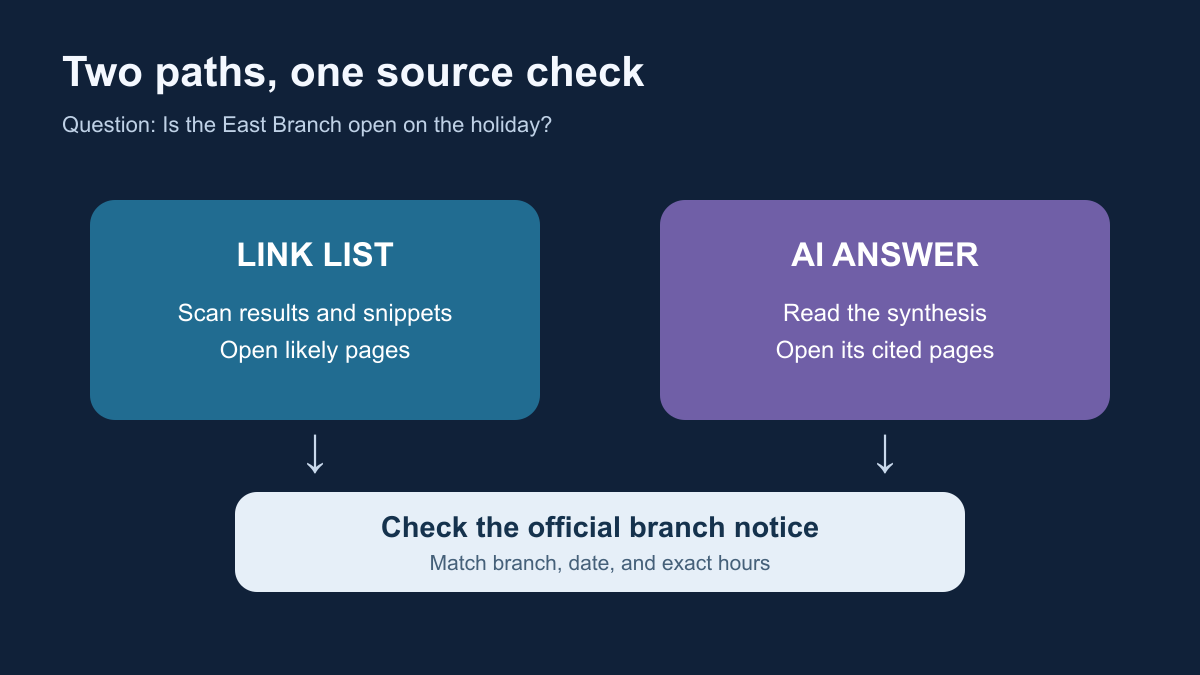
Two routes to the same answer
In a traditional search workflow, you type a query, scan links and snippets, open promising pages, and form an answer. Search engines crawl and index pages before serving results; Google's description of its search process is one concrete example. A snippet is a lead, not a substitute for checking the page itself.
In an AI search workflow, a system may retrieve pages and synthesize an answer. Some products show inline source links, while others may answer from model knowledge unless a web tool is used. OpenAI's web-search documentation describes one tool that accesses current web information and returns cited answers. Google's AI search guidance describes supporting links in its AI features. Neither source implies that every AI answer searched the live web or cited every relevant page.
The two routes can appear on the same search page: a link list may sit beside an AI summary. The labels describe what you do with the result, not two mutually exclusive kinds of website.
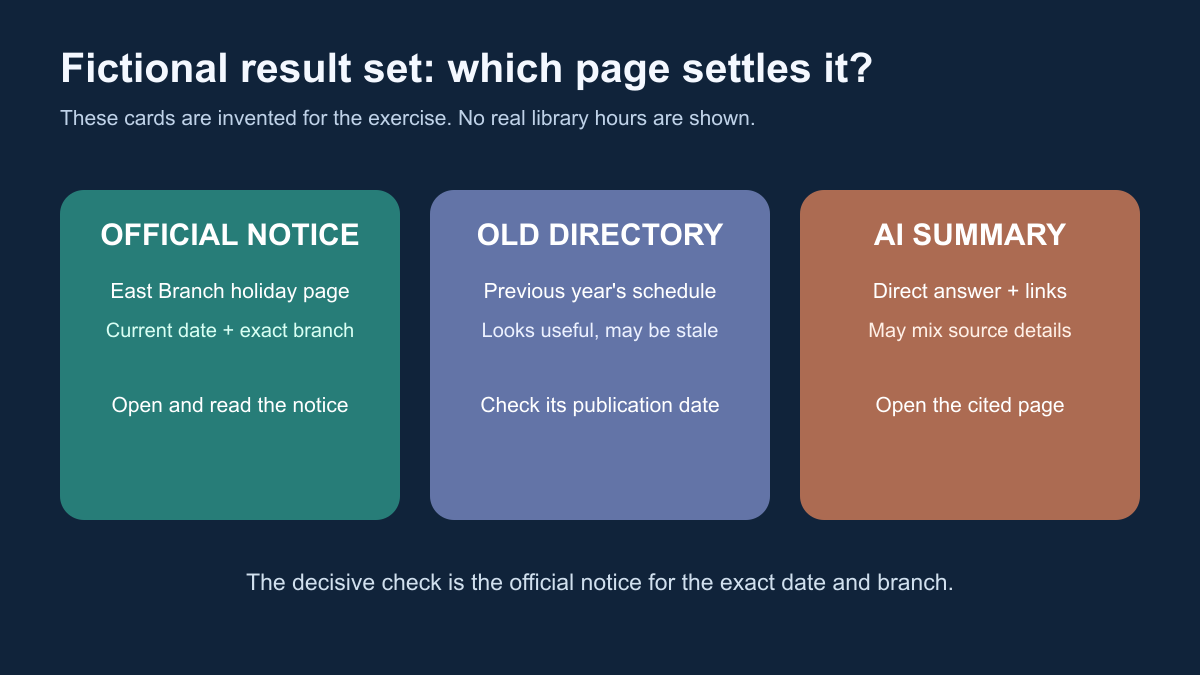
Try the Harbor Library exercise
Imagine you need to know whether the Harbor Library East Branch is open on a named holiday. One result says “regular hours,” a community directory has an older holiday schedule, and the library's own branch page has a current holiday notice. Those are invented source cards to illustrate a common conflict.
Traditional route: Search for Harbor Library East Branch holiday hours [date]. Read the results, then open the official branch page and its holiday notice. Check that the branch and date match your question. Do not stop at a snippet that says “regular hours.”
AI route: Ask, “Is Harbor Library East Branch open on [date]? Cite the official branch's holiday notice and tell me when it was updated.” If the answer has links, open them. If it gives no sources or does not show that it searched, treat the answer as an unverified lead. A fluent sentence is not evidence of a current lookup.
| Check | Traditional search | AI search |
|---|---|---|
| Source discovery | You choose which result to open | The system may choose and summarize sources for you |
| Freshness | Page date and snippet may differ; open the page | Ask what was retrieved and inspect the cited page's date |
| Citation | The result link points to a page | A citation points to a page; verify that it supports the exact claim |
| Wrong branch risk | Similar branch names appear in results | A summary can combine details from different branches |
| Time spent | You scan and compare pages | You read a summary, then still check the decisive source |
Check the claim behind the link
When an answer cites a page, ask four questions: Does the page open? Is it the right organization and branch? Does it cover the requested date? Does the page actually say what the answer claims? A citation can be relevant to the topic and still fail the specific question. A search result can also point to an old PDF with an official logo. The publication or update date matters when hours change.
For this example, the best evidence is the library's current official holiday notice for the exact branch. If that notice is ambiguous, contact the library before making a trip. For broader fact-checking habits, see How to Check an AI Answer.
Keep a small scorecard
Try the exercise with your library and next holiday. Record facts rather than a guessed winner:
| Measure | Traditional route | AI route |
|---|---|---|
| Query used | ||
| First plausible answer | ||
| URL that actually supports it | ||
| Page date and branch checked? | ||
| Time until you verified the answer | ||
| Remaining uncertainty |
Use a stopwatch if you want a time comparison, and run both routes on the same date and branch. Do not count a fast but unsupported answer as a verified result. Repeat on a second task, such as finding an official product manual or a recent policy update; the useful workflow may change with the question.
A practical choice
Use a link list when you need to browse competing sources, locate an original document, or inspect exact wording. An AI summary can help you orient yourself or combine several pages, especially when it exposes sources you can open. For a current, consequential detail, go to the primary source in either workflow. The best answer is the one you can trace back to evidence that matches your exact question.
Sources and further reading
Read next

What Is Multimodal AI? One Task Across Text, Images, Audio, and Video
Follow a plant photo and spoken question through a multimodal assistant. Learn what images, audio, text, and video contribute—and what the model still cannot know.
 nbkhope

What Are Content Credentials? A Guide to Digital Provenance
Follow a photo from capture through editing and export to see what signed Content Credentials reveal, what can be lost, and what they cannot prove.
nbkhope
How to Verify a Suspicious Image or Video
A striking image or video can be real, generated, edited, or simply mislabeled. Follow a practical source-checking workflow before sharing it.
nbkhope
Comments
Be kind and specific. Comments with links from new accounts appear after a moderator reviews them.