
Deliver frames on a local network
Distinguish link-layer addresses from network addresses.
- Read the parts of an Ethernet frame.
- Describe how a switch uses MAC addresses to forward local frames.
- Predict when a switch forwards a frame and when it floods.
Your laptop and printer sit on the same network with no router between them. When the laptop sends a page to print, something has to get those bytes to the printer and not to every other device in the building. On wired networks, that something is an Ethernet switch, and it does the job with one small table it fills in by itself.
A switch can be a small box on a desk or a cabinet full of ports. They work the same way.
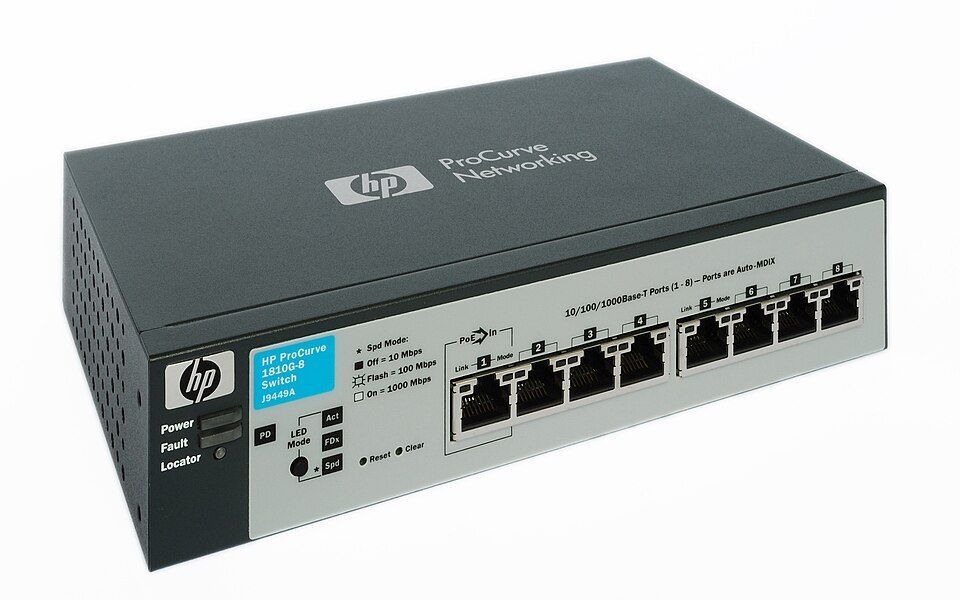
Desktop switch
LinkAdds more wired ports to a home or small office. Plug it in and it works, with no setup.
How it fits: Each port connects one device, and the switch learns which MAC address is on which port.
How to spot it: A row of identical Ethernet ports with link lights, and no antennas.
Photo: Harke, CC BY-SA 3.0, adapted
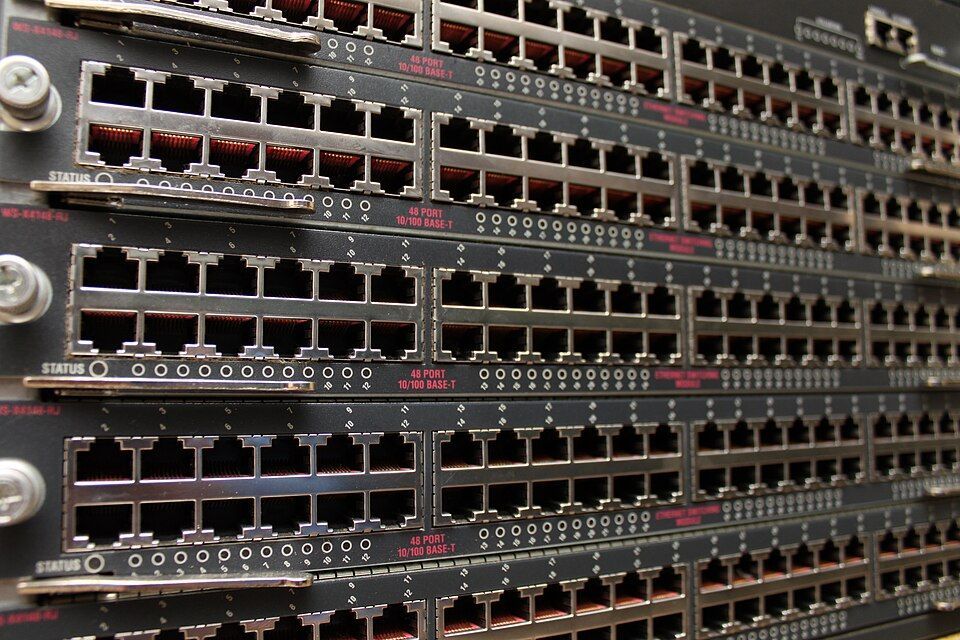
Rack switch
LinkConnects a whole office floor or a row of servers, with dozens or hundreds of ports.
How it fits: Each port is the same kind of port as in the lab below, just more of them. Managed switches also add VLANs.
How to spot it: Rows of ports with a small light beside each one, usually in a rack with a patch panel.
Photo: Ben Franske, CC BY-SA 4.0, adapted
The frame
Ethernet carries data in frames. Every network card has a 48-bit MAC address, usually written as six hexadecimal pairs such as aa:bb:cc:00:11:22. A frame starts with the destination and source MAC addresses, and its payload is the IP packet.
How a switch learns
A switch starts knowing nothing, and it needs no configuration to learn. For every frame it follows two steps:
- Learn: record that the source MAC address lives on the port the frame arrived on.
- Forward: look up the destination MAC address. If it's in the table, send the frame out that one port. If it isn't, flood the frame out every other port.
Flooding sounds wasteful, but it only lasts until the destination replies, and that reply teaches the switch where it lives.
Try it
Up to 15 XPYou are the switch
Each frame shows its source and destination. Select every port it will leave on, then send it. The table starts empty, so think about what the switch knows at that moment, not what you know. Notice how the third frame changes things.
source aa:10 → destination bb:20Laptop is sending to Printer. Select every port this frame will leave on.
Empty. The switch has seen no frames yet.
Read a real MAC table
Managed switches let you look at the table they've built. Network engineers read this all the time to find out which port a device is plugged into.
Try it
Up to 15 XPRead a switch's table
Each round shows what a real switch prints. Click the line that answers the question.
A frame arrives for bbbb.bb00.0020. Which entry does the switch use?
Key takeaways
A frame carries source and destination MAC addresses around an IP packet.
Switches learn from source addresses and forward using destination addresses.
Unknown destinations and broadcasts are flooded, within one VLAN.
Lesson quiz
6 questions · pass with 5 correct · up to 50 XP
Passing this quiz completes the lesson and keeps your streak going. Questions you miss come back in review sessions later.
Questions about this lesson
Stuck? Ask. Figured something out? Share it. Explaining is one of the best ways to learn.
Loading posts…