
The Top 5 AI Coding Agents in 2026: Which One Belongs in Your Workflow?
Five AI coding agents, five different ways to build. Compare Claude Code, Codex, Cursor, GitHub Copilot and Google Antigravity with real workflows and a quick chooser.


On this page
The Top 5 AI Coding Agents in 2026
Imagine opening a bug report that says, “The checkout button sometimes charges twice.” A code completion tool might finish the next line you type. An AI coding agent can trace the click handler, inspect the API, change the code, run a test and hand you a diff. You still decide whether the fix is right.

Here are five agents that make that loop useful in different places. This is an editorial shortlist as of November 2026, not a laboratory ranking: no common benchmark can tell you which one will understand your repository, permissions and review process best. We chose products with a credible multi-step coding workflow, broad developer relevance and distinct ways to work. Features, plans and limits change, so check the linked product documentation before choosing a subscription.
First, what counts as a coding agent?
An agent can read project context, choose a next step, use tools, observe the result and continue. That may mean searching files, editing several modules, running tests or preparing a pull request. The useful question is not “Did it write code?” but “Can it check the result and revise its work?”
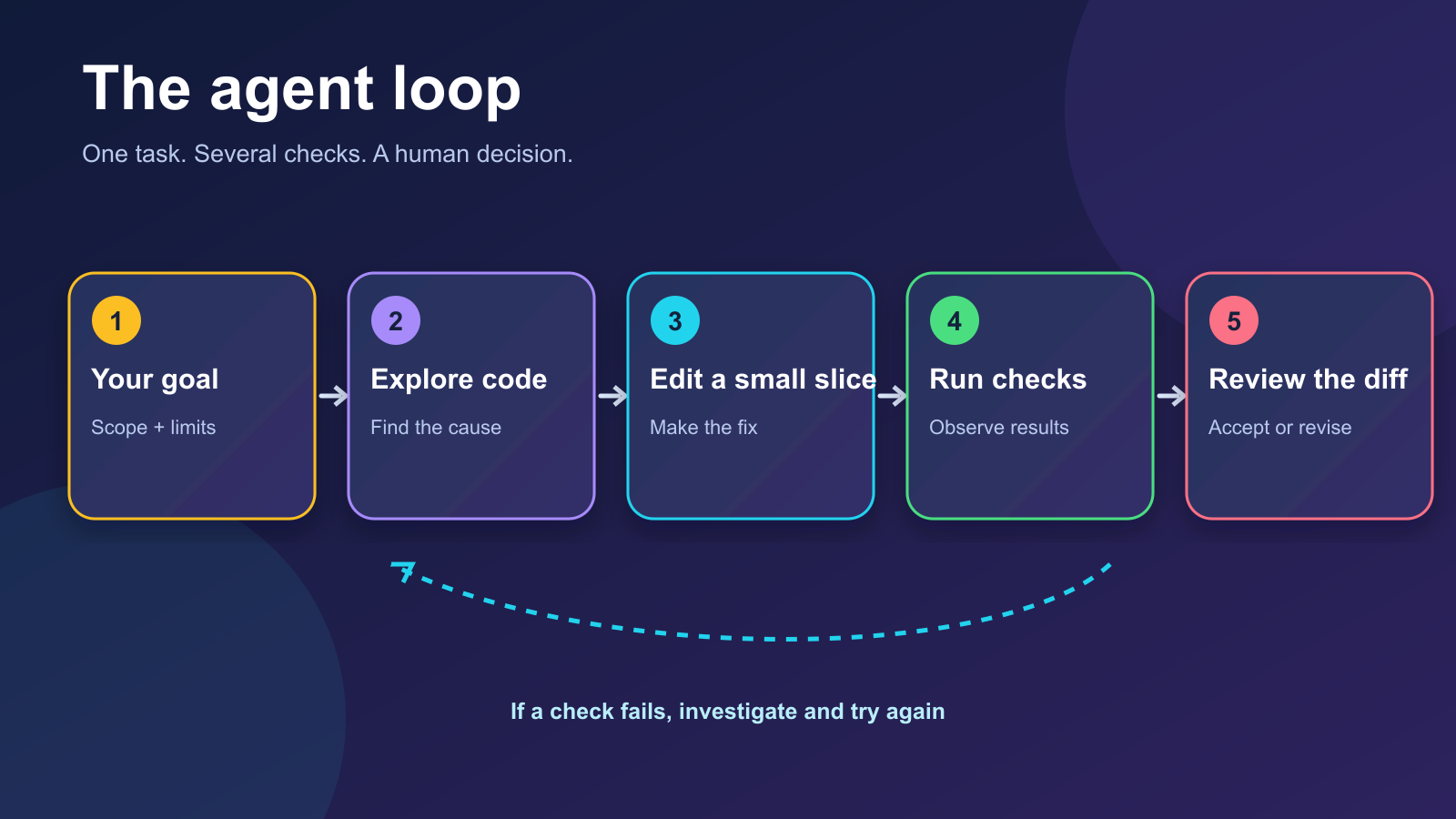
For our imaginary double-charge bug, a good brief would be: “Reproduce a double submission. Find the smallest fix. Add a regression test. Run the relevant tests. Show the changed files and explain what remains uncertain.” That same brief gives each of the five a fair shot.
The five, at a glance
| Pick | Best starting point | Where the work happens | Watch for |
|---|---|---|---|
| 1. Claude Code | A deep, hands-on repository investigation | Terminal, editor and other Claude surfaces | A broad request can produce a broad diff; set boundaries |
| 2. OpenAI Codex | A flexible local coding and review loop | ChatGPT desktop, CLI, IDE or cloud | Check the chosen environment and permissions |
| 3. Cursor | Staying inside an AI-first editor | Editor, CLI or cloud agents | Inspect automatically applied edits and commands |
| 4. GitHub Copilot cloud agent | Turning a well-scoped GitHub issue into a PR | GitHub-hosted agent session | Review the PR like any contributor's work |
| 5. Google Antigravity | Coordinating work across Google’s agent surfaces | Agent manager, IDE, CLI or extensions | Pick the surface and account tier that fits |
These are workflow recommendations, not scored performance claims. A tool with an attractive interface cannot compensate for a vague task or missing tests.
1. Claude Code: the repository detective
Claude Code is Anthropic's coding agent. Its core appeal is an active loop through a codebase: ask a question, let it inspect the relevant files, edit, run a command and react to the output. Anthropic documents terminal, desktop, IDE and cloud workflows, so it can meet developers in several places.
Try this: “Trace every path that can submit a payment. Propose the smallest change that makes repeated clicks safe. Before editing, tell me which files you expect to touch.” This encourages investigation before the agent starts changing files. It is especially appealing when the hard part is understanding a large or unfamiliar repository.
Keep an eye on: scope. An eager agent can refactor nearby code when the request only needs a small guard. Name the files or behavior you want preserved, and read the final diff.
2. OpenAI Codex: the adaptable workshop
Codex is OpenAI's coding agent, available through ChatGPT's developer surfaces. The official CLI guide describes a local loop that inspects, edits and runs code, plus a path to cloud tasks. Codex also has an IDE extension and a desktop experience. The point is flexibility: you can work alongside it locally, ask it to review a change, or hand a separate task to a cloud environment.
Try this: “Add a test that reproduces the double charge, fix the behavior, run only the checkout tests, then review your diff for unintended API changes.” The request names an observable result and a check, which makes the answer easier to trust.
Keep an eye on: where the task runs and what it can access. A local repository, a cloud checkout and a connected service may have different files and permissions. Confirm the result in the environment you will ship.
3. Cursor: an editor with an agent in the room
Cursor centers the work in an AI-first code editor. Its documentation covers understanding a codebase, planning and building features, finding bugs, reviewing changes, and using terminal tools. It also offers CLI and cloud agent paths. For developers who want to see the code and the agent's edits side by side, that is a compelling daily setup.
Try this: select the checkout component and ask, “Follow this button through the server request. Show me the race condition, then patch it and run the focused test.” The visible file context can make a small investigation feel conversational.
Keep an eye on: auto-applied edits and terminal commands. Convenience is useful, but the diff and test output remain the evidence.
4. GitHub Copilot cloud agent: issue in, pull request out
GitHub Copilot's cloud agent fits teams whose work already begins in GitHub. Assign a suitable issue to Copilot, or start a task from a prompt. GitHub says issue assignment creates a pull request and requests review when the work is finished; a prompt session can be steered and turned into a PR.
Try this: write an issue with reproduction steps, expected behavior, affected endpoint and acceptance criteria: “A second click must not create a second charge; add a regression test.” Then inspect the PR as you would a teammate's.
Keep an eye on: task size. A bounded issue is easier to review than “fix checkout.” GitHub notes that comments added to an issue after assignment are not seen by that task; put follow-up direction on the PR or in the agent session.
5. Google Antigravity: a command center for agent work
Google Antigravity is now a family of agent surfaces: a standalone manager, an IDE, a CLI and editor extensions. Google's codelab describes the manager as a place to launch and monitor multiple local agents, while the IDE keeps the familiar coding workspace. That makes it interesting if you want to coordinate several tasks rather than live in one terminal session.
Try this: give one agent the checkout reproduction and another the test strategy, then compare their findings before changing the payment path. Keep the implementation in one clear branch so the final diff has an owner.
Keep an eye on: product names and access. Google's older Gemini CLI documentation now directs individual users toward Antigravity CLI for the newer agent experience; Gemini CLI remains relevant to particular enterprise Code Assist workflows. Check the current tool guidance before following an old setup tutorial.
Which one should you try first?
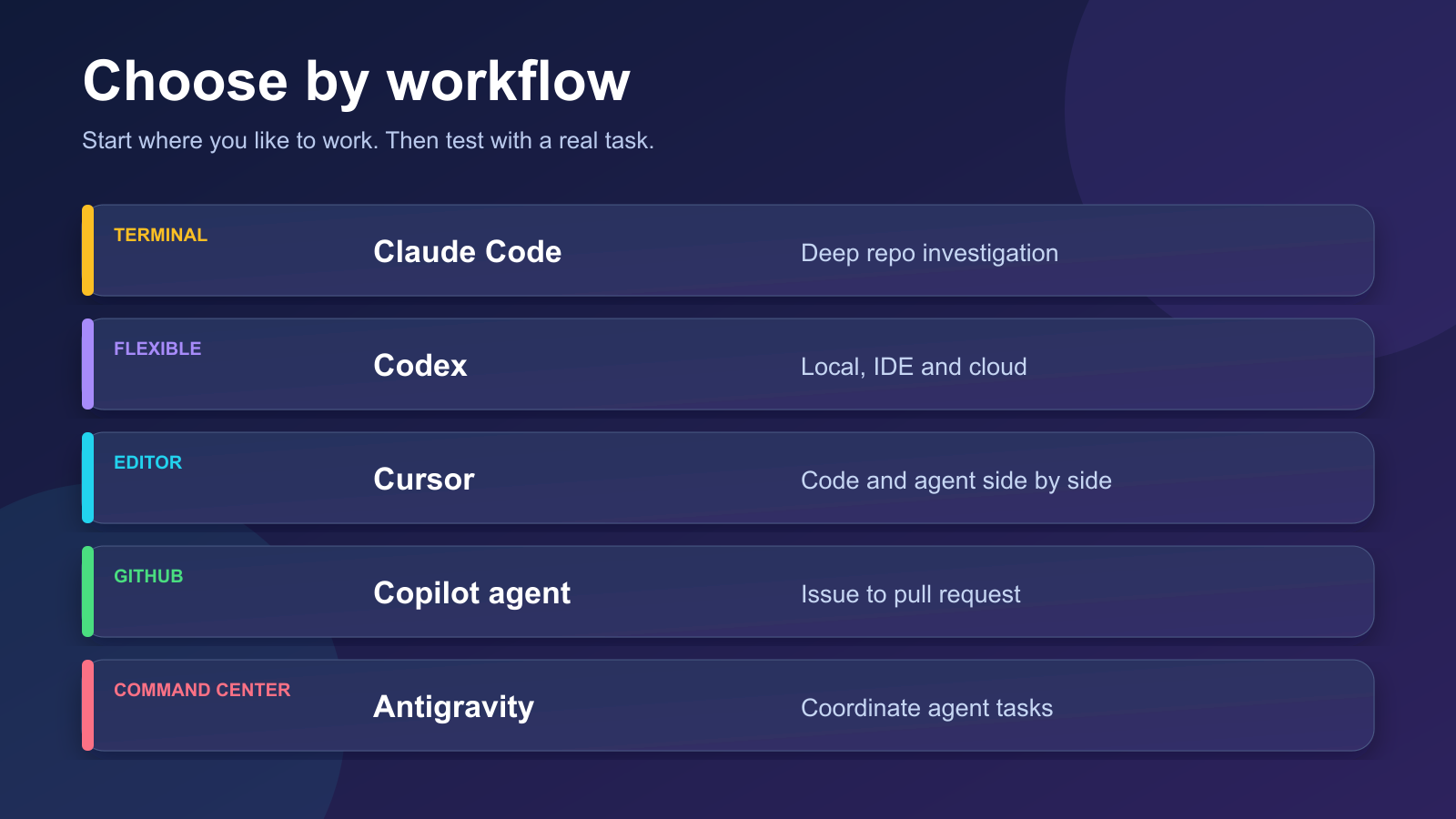
If you live in a terminal, start with Claude Code or Codex. If the editor is your home, try Cursor. If your team manages work through issues and pull requests, try Copilot's cloud agent. If you want an agent manager alongside an IDE and CLI, explore Antigravity. This is a map of fit, not a claim that one tool produces better code in every language.
Want to compare them fairly? Give each the same small, real task. Record the time to a reviewed result, how much of the diff you kept, the tests it ran, what it missed and how easy it was to steer. Do not use a made-up “10/10 intelligence” score. A ten-minute fix you understand is better than a dazzling 500-line patch you cannot explain.
The human part of the loop
Agents can write plausible code that fails under real traffic, skips an edge case or weakens a test to make it pass. For the double-charge bug, you would still verify idempotency at the server or payment boundary, test concurrent requests, check logs and confirm that a retry does not bill twice. Treat the agent as a fast collaborator whose work is reviewable evidence, not a guarantee.
The best agent is the one that helps your team ship a correct, understandable change. Pick a surface that fits your habits, give it a precise task, and keep the final judgment where it belongs: with the people responsible for the software.
Sources and further reading
Read next
How to Protect Your Privacy When Using AI Tools
Protect your privacy when using AI tools with a practical workflow for removing personal details, checking data controls, handling files, and reviewing shared links.
 nbkhope

How to Check an AI Answer Before You Use It
AI can give a useful answer with a wrong date, invented quote, or bad total. Learn a five-step check you can use before acting on its response.
nbkhope
Production MCP Server Architecture and Security
Design a production MCP server that scales and stays safe: stateless request handling, OAuth and per-tool authorization, tenant-safe caching, observability, resilient downstream calls, and a practical rollout checklist.
nbkhope
Comments
Be kind and specific. Comments with links from new accounts appear after a moderator reviews them.