How to Use AI to Improve Your Life: Start Small, Stay in Charge
Use AI to support goals that matter to you, from learning and planning to everyday creativity. Build a realistic routine, protect your privacy, and keep important choices human.


On this page
How to Use AI to Improve Your Life: Start Small, Stay in Charge
“Improve your life” sounds like a big promise. Let’s make it smaller and more useful: use AI to make one chosen part of your week easier, clearer, more creative, or more manageable. It might help you plan a routine, practice a skill, organize a project, or get a first draft out of your head and onto the page.
AI can help you think through options, but it cannot tell you what a good life means for you. Choose the goal; let the tool help with the steps.

Start with what you want more of
Pick one area that matters to you—more time for reading, a calmer morning, progress on a creative project, a language you want to practice, or fewer forgotten errands. Ask AI to help turn the wish into a small experiment:
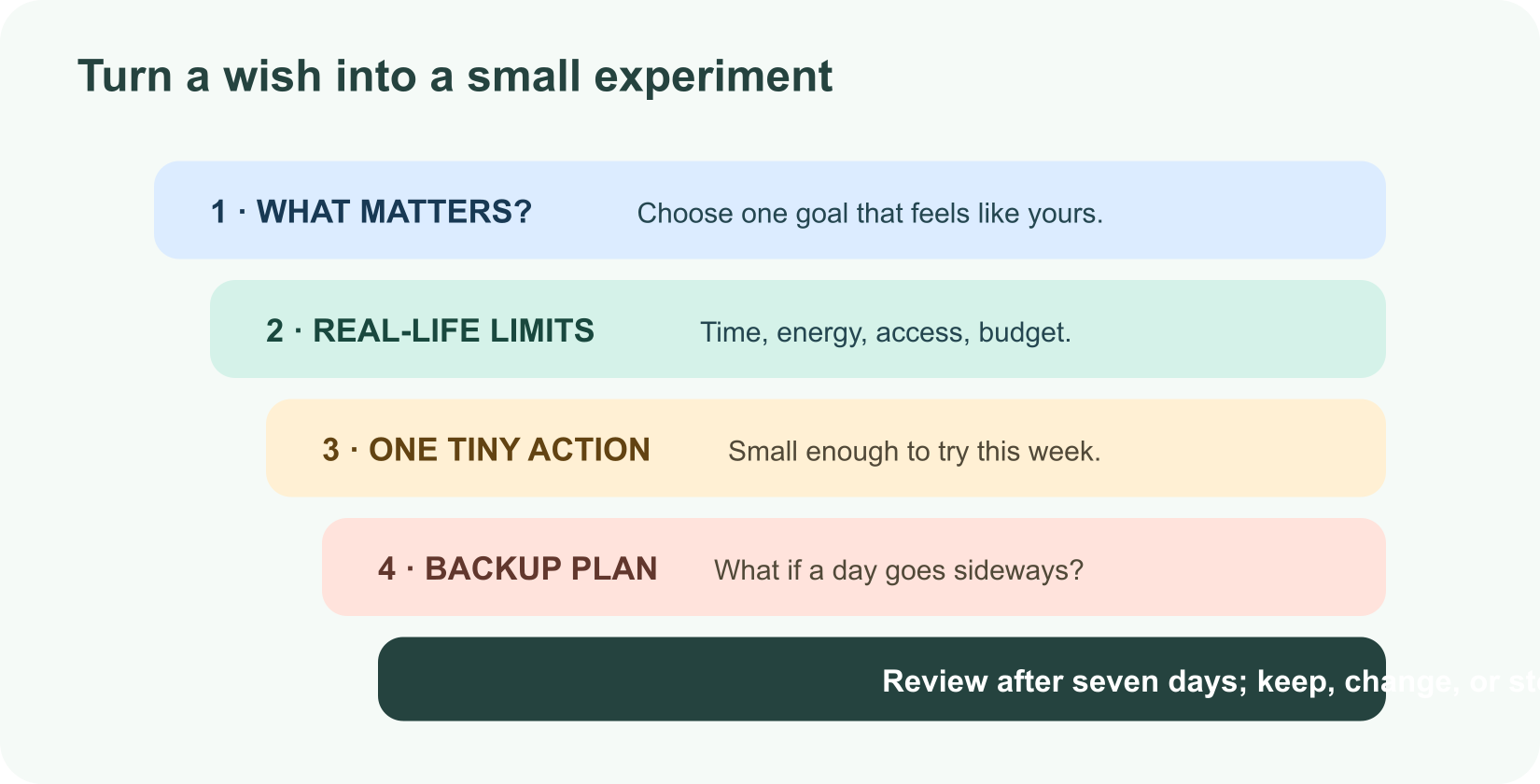
1I want to [personally meaningful change]. My week usually looks like [context].
2Help me choose one small action I can try for seven days.
3Keep it realistic with [time, energy, access, or budget limits].
4List likely obstacles and backup options. Do not give medical advice.
5At the end of the week, help me reflect on what worked.
For example: “I want to read more, but evenings are busy. Suggest a 10-minute routine I can attach to something I already do, plus a backup for days when I’m tired. Don’t make me buy anything.”
Put AI to work in everyday life
| If you want… | Ask for… | You stay responsible for… |
|---|---|---|
| A steadier routine | A simple schedule and a backup plan | Choosing what fits your body, time, and responsibilities |
| To learn something | A plain-language explanation, quiz, or practice conversation | Doing the thinking and checking important facts |
| More creative momentum | Prompts, outlines, or several starting points | Deciding what expresses your voice and values |
| Less mental clutter | A checklist from your own notes or a plan for one project | Setting priorities and protecting time to rest |
| Better access to information | A summary or reformatting of material you provide | Checking the original and asking for accessible human support when needed |
| More connection | Ideas for a thoughtful message or a conversation opener | Showing up and listening to the people in your life |
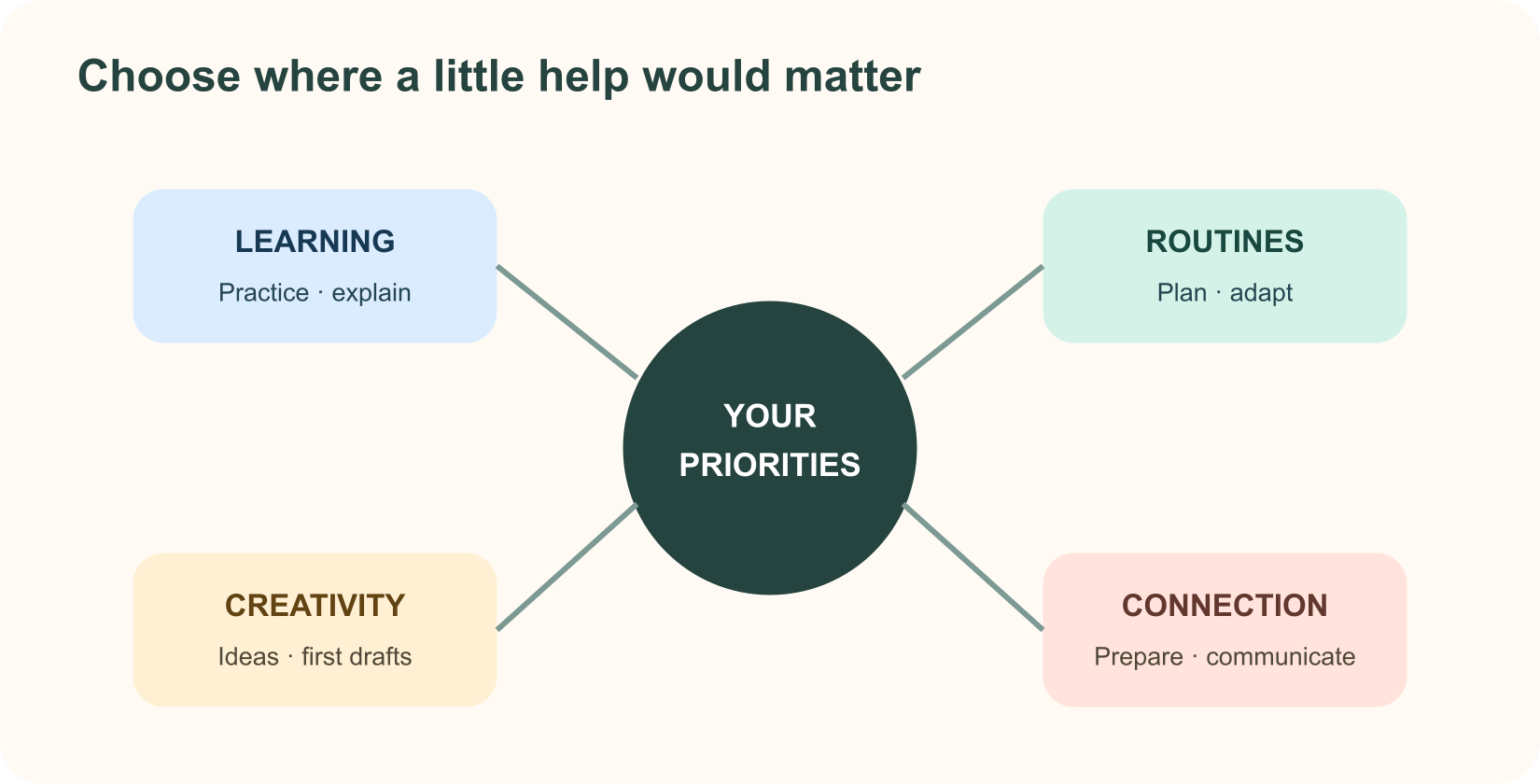
AI should create room for life, not turn your life into another optimization project. It is fine if the useful outcome is a shorter to-do list, a fun story idea, or a reminder to log off.
Make a plan gentle enough to keep
Ask for plans that fit your actual week. “Exercise every morning for an hour” may be a terrible plan if you work nights, have a disability, or are caring for someone. Ask for different energy levels, accessible alternatives, and a reset plan after a missed day. The U.S. National Institute of Diabetes and Digestive and Kidney Diseases (NIDDK) describes habit change as a process, recommends specific goals and planning for setbacks, and notes that small changes may be easier to maintain.
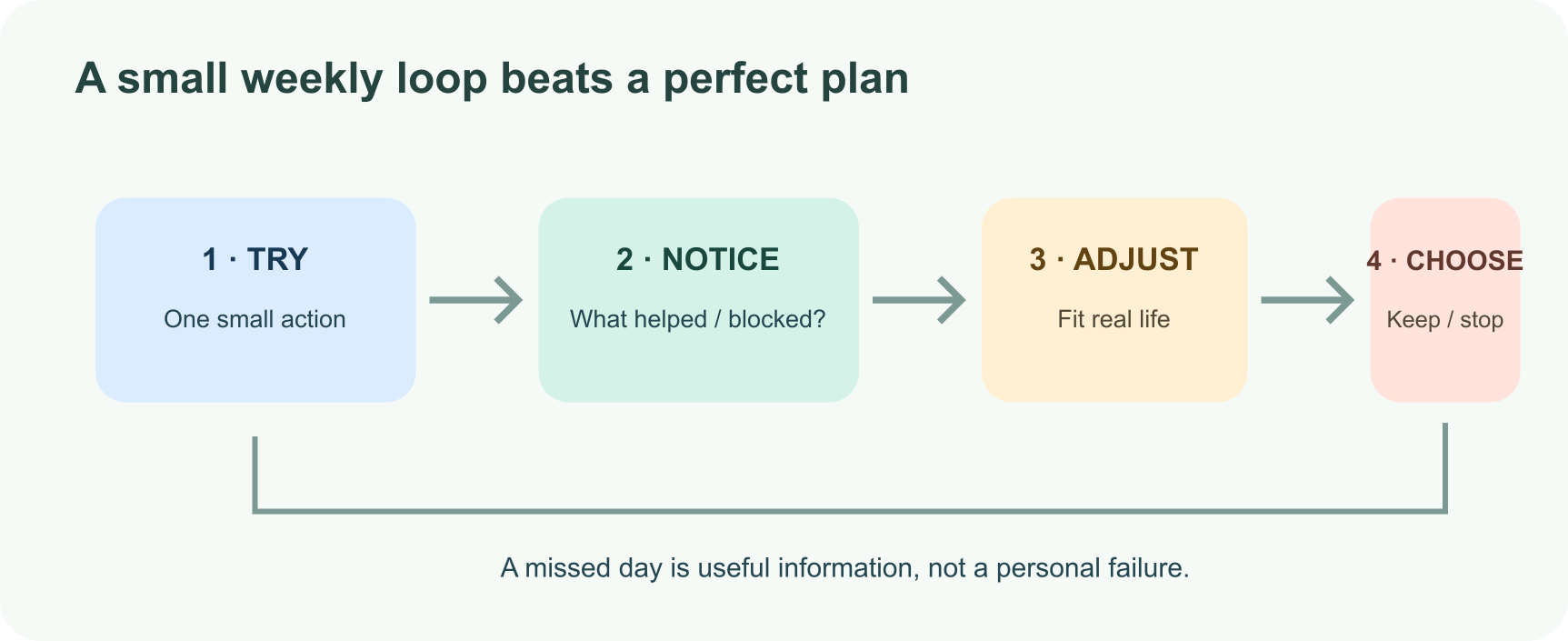
Once a week, ask: What felt easier? What got in the way? Did this goal still matter to me? Keep, change, or drop the experiment based on your answers. A missed day is information, not a character flaw.
Keep important decisions grounded
For health, mental health, finances, legal questions, or safety, AI can help you prepare questions or explain general terms, but do not treat it as your clinician, therapist, financial adviser, or emergency service. Check important advice with qualified people and reliable sources. The World Health Organization has urged caution, safety, and human oversight in the use of large language models for health.
Also be careful about letting a polished answer become the loudest voice in a personal decision. Ask AI to show several perspectives, state what it does not know, and help you prepare for a conversation with someone you trust. You decide what matters.
Protect your attention and private details
Share the minimum information needed. Avoid putting sensitive health, financial, location, relationship, or identity details into a chatbot unless you understand the service’s privacy settings and have a good reason. The Office of the Privacy Commissioner of Canada advises people to limit personal information shared with AI chatbots and review privacy settings.
If a tool makes you feel pressured to keep chatting, spend money, or make a sudden decision, step away and reconnect with a person you trust. Use AI as one tool in your life, not your only source of support or companionship.
A two-week “make one thing easier” challenge
Choose one goal and one small action. In week one, ask AI to help you plan and anticipate obstacles. At the end of the week, decide whether the action was useful. In week two, keep it, adjust it, or try a different approach. Track how it feels—not just how many boxes you checked.
If the tool saved time, helped you practice, or made a difficult first step feel approachable, that is a real win. If it added noise, close the tab. Your life is the project; AI is optional equipment.
Further reading
Read next

What Is Meta Muse? A Guide to Meta’s AI Models and Tools
Meta Muse is a family of AI models and products from Meta, spanning its Meta AI assistant, multimodal reasoning, creative tools, and developer-focused agents. Here is what the name covers and what to know about its newest models.
 nbkhope
How to Use ChatGPT: A Practical Beginner’s Guide
New to ChatGPT? Learn how to ask better questions, work with files and images, use web search, projects, voice, and study tools, and check important answers before you rely on them.
nbkhope
What Is a Transformer in AI? The Idea Behind ChatGPT, Explained Simply
A friendly, jargon-free guide to transformers, the AI design behind ChatGPT, Claude and Gemini. Learn how "attention" lets AI understand words in context, what happens inside a transformer, and why it changed AI so quickly.
nbkhope
Comments
Be kind and specific. Comments with links from new accounts appear after a moderator reviews them.