The History of the Computer Mouse: From Wooden Box to Optical Sensor
Trace the computer mouse from a wooden SRI prototype and the 1968 demo to the ball, scroll wheel, optical sensor, and wireless devices on today’s desks.

On this page
The History of the Computer Mouse: From Wooden Box to Optical Sensor
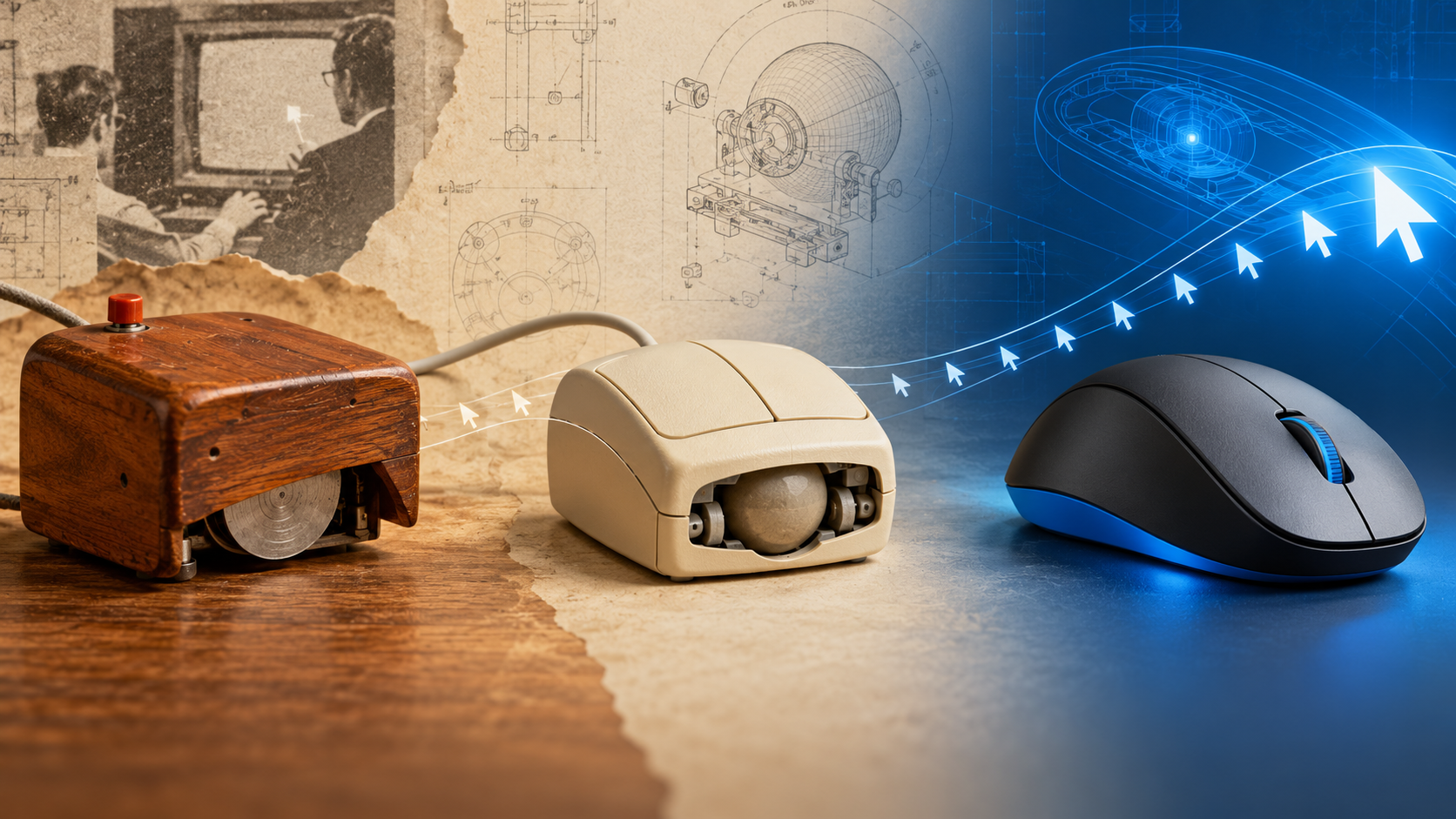
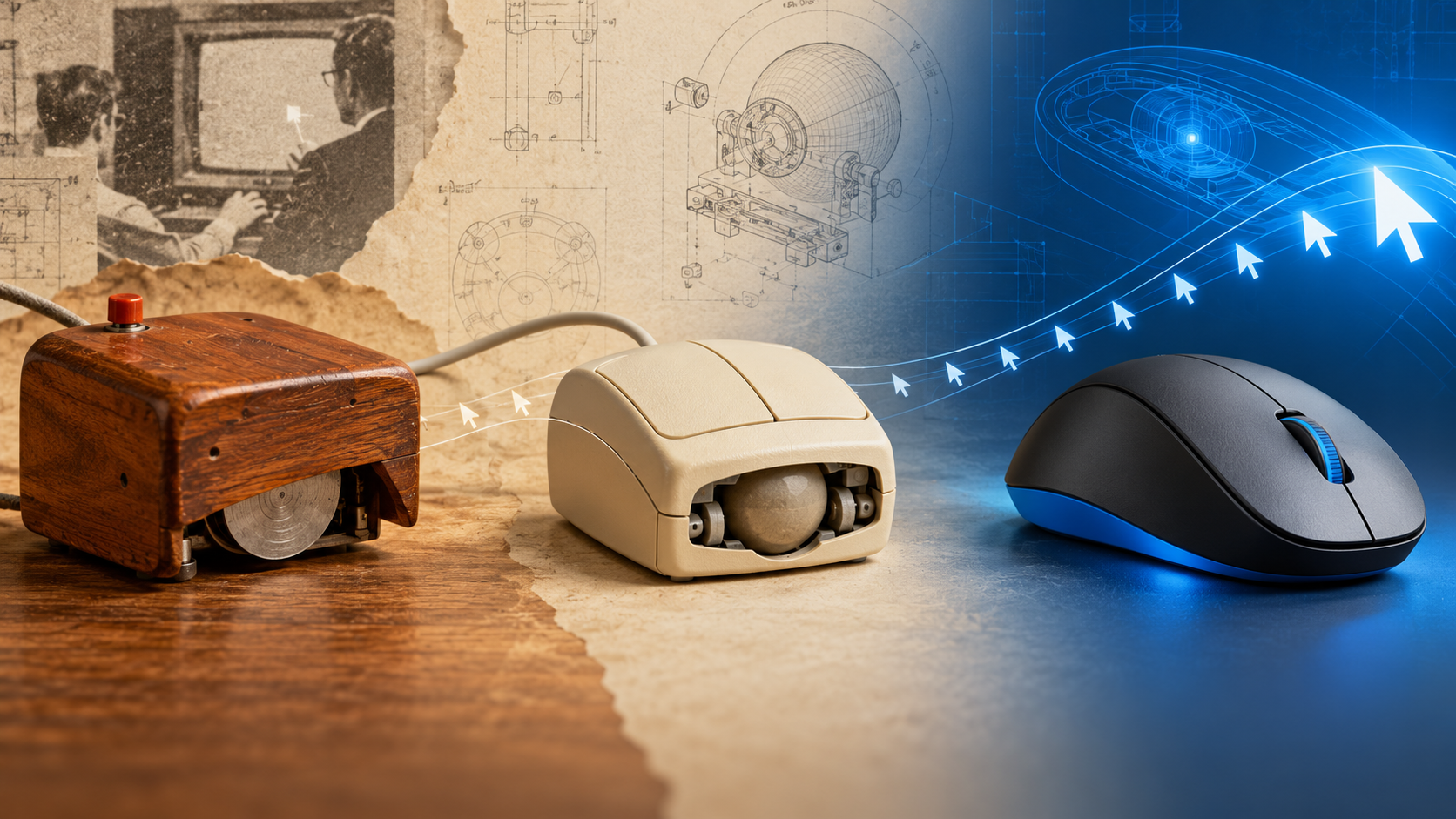
The mouse may be one of the most familiar things on a computer desk, but it began as a research experiment in a world where most people interacted with computers through switches, paper tape, or typed commands. Its surprising history is less about a clever gadget than a bigger idea: moving a hand could become a direct way to point at information on a screen.
1960s: a pointer for a new kind of computing
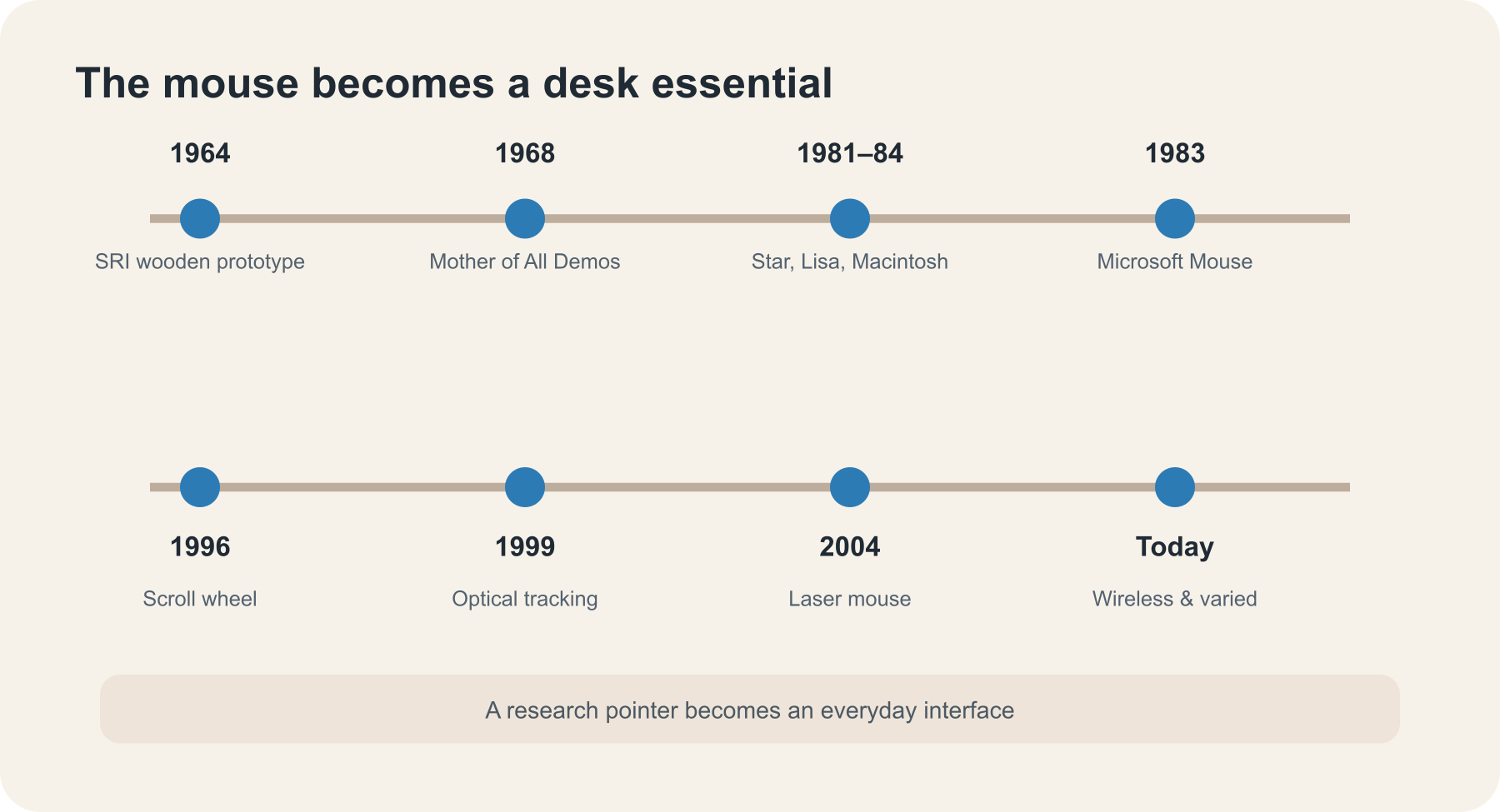
Douglas Engelbart at Stanford Research Institute (SRI) was exploring how computers could help people think and work together. In 1964, engineer Bill English built a wooden pointing device for Engelbart’s team. It used two perpendicular wheels to measure movement across a surface. The device’s cable looked like a tail, which helped inspire the name “mouse”—though the word did not appear in Engelbart’s patent.
The team demonstrated the mouse on December 9, 1968, during a landmark presentation now called “The Mother of All Demos.” The audience saw more than a pointing device: Engelbart showed interactive text editing, linked documents, windows, shared work, and video conferencing. The mouse made sense as one part of a larger vision for interactive computing.
There was no single invention moment shared by the entire world. Engineers at Germany’s Telefunken independently developed a ball-based pointing device in the mid-1960s. Engelbart’s prototype used wheels; the ball mouse would later become the familiar mechanical design.
1970s–1980s: from research lab to personal computer
Bill English later joined Xerox PARC, where he helped develop a ball mouse for the Alto, an experimental personal computer with a graphical interface. Xerox’s Star workstation, introduced in 1981, was among the first commercial systems to ship with a mouse. It paired the device with on-screen windows, icons, and documents, but the full system was expensive and aimed at offices.
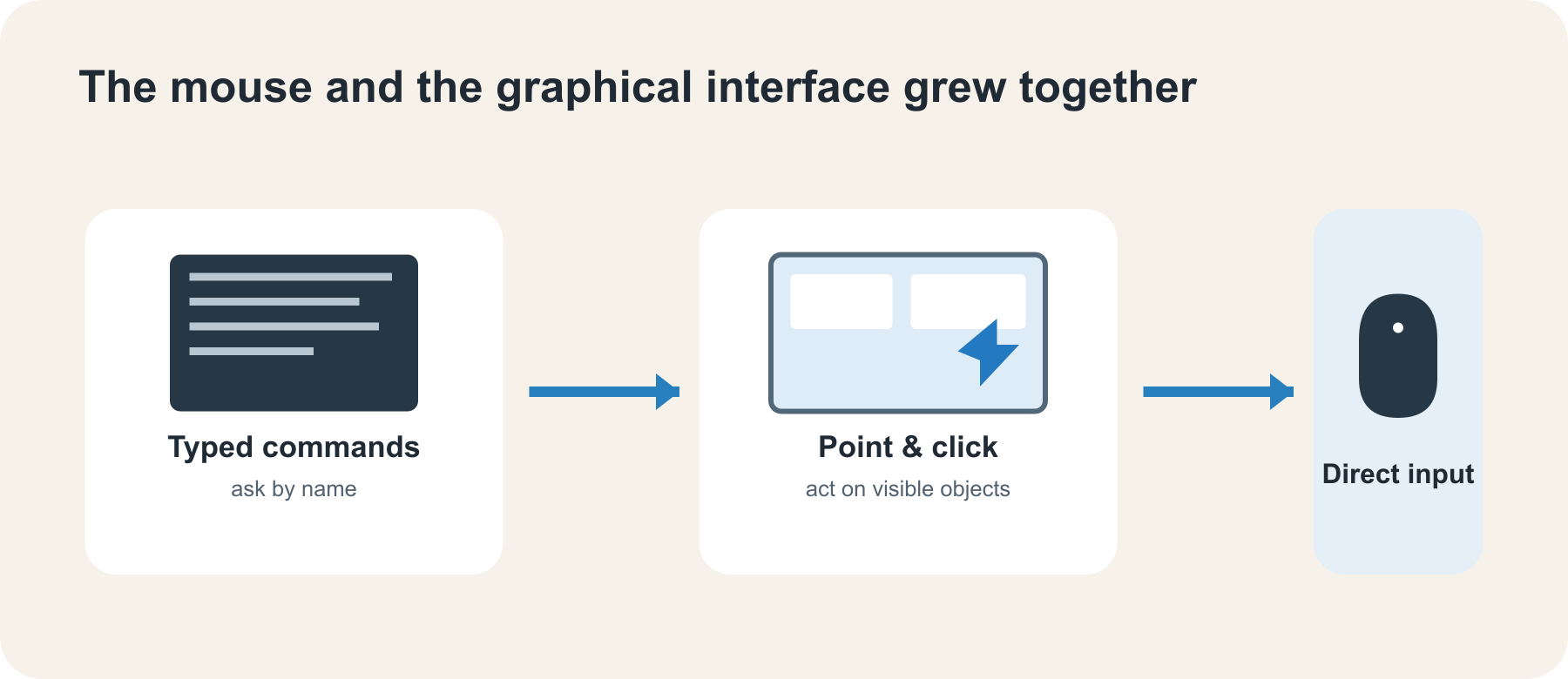
Apple’s Lisa in 1983 and Macintosh in 1984 helped bring mouse-driven graphical computing to a wider audience. They made pointing, clicking, and dragging feel approachable for people who did not want to memorize commands. Apple did not invent the mouse; its contribution was refining the complete interface and helping popularize the mouse as a standard personal-computer tool.
Other companies also put mice in front of PC users. Microsoft introduced its first mouse in 1983 to help people navigate word-processing software. The more graphical the interface became, the more useful a pointer was—and the more natural it felt to move a hand instead of typing a command for every action.
1990s–2000s: the wheel, light, and fewer moving parts
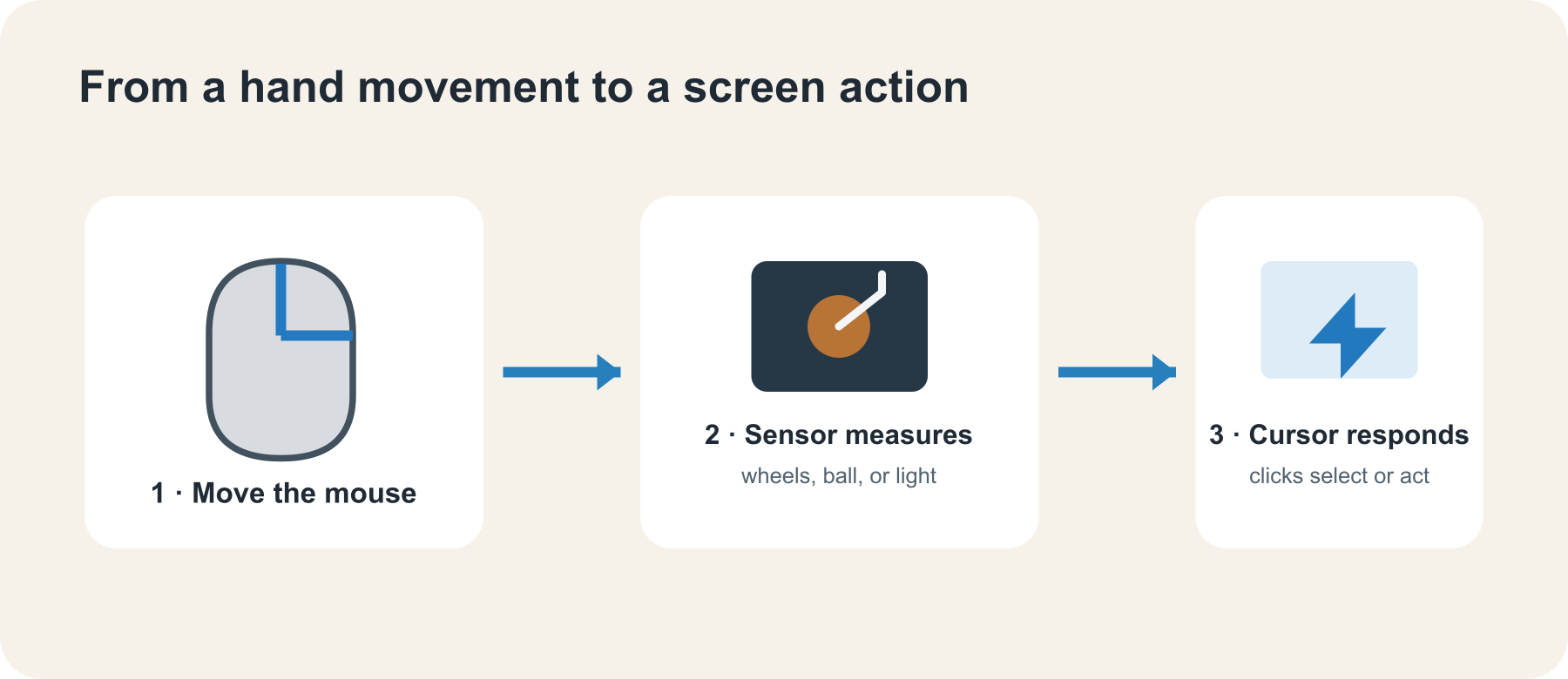
For years, the classic ball mouse translated movement through rollers inside the case. Dust could collect on the rollers, so users sometimes had to open the mouse and clean them. The scroll wheel added a new kind of interaction. Microsoft announced IntelliMouse in 1996 with a wheel between the buttons, letting a finger move through long documents and web pages without repeatedly reaching for a scroll bar.
Optical tracking replaced the ball with light and an image sensor. Microsoft’s IntelliMouse Explorer, announced in 1999, used optical technology that removed the internal ball and made tracking easier to maintain. Laser tracking followed, and wireless links freed the mouse from its cable. Each step addressed a small annoyance while making the desk simpler.
The mouse also diversified. Ergonomic shapes, compact travel models, trackballs, programmable side buttons, and high-performance gaming sensors all adapted the same basic pointing idea for different hands and jobs.
Today: one pointer among many
Touchscreens, trackpads, pens, controllers, and voice input now share the job of controlling computers. Yet the mouse remains especially useful when a task needs precise pointing, repeated clicks, or long sessions at a desk. Its left and right buttons, scroll wheel, and movement sensor are a tiny interface language people learn almost without noticing.
The mouse’s enduring lesson is about the fit between a tool and an interface. As computers moved from command lines to graphical desktops, the mouse gave people a way to act on visible objects. Today, touch and gesture add new choices, but the humble pointer still earns its spot beside the keyboard.
Sources and further reading
- Computer History Museum: the original SRI mouse and Engelbart’s demo
- Computer History Museum: the mouse, its prototypes, and Telefunken’s ball mouse
- Computer History Museum: Apple Lisa and the GUI
- Computer History Museum: Apple timeline, Lisa and Macintosh
- Microsoft introduces IntelliMouse and its scroll wheel (1996)
- Microsoft introduces IntelliEye optical tracking (1999)
- Logitech company history
Read next
The History of Artificial Intelligence: A Simple Timeline
From Alan Turing’s early question to today’s chatbots, explore the people, pauses, and breakthroughs that shaped artificial intelligence—in plain language.
 nbkhope
A Brief History of Computer Programming: From Wires to Apps
From Ada Lovelace’s 1843 notes to today’s apps and AI coding assistants, see how programming changed—and what a program really is—in plain language.
nbkhope
A Brief History of Programming Languages: From Machine Code to Modern Tools
From machine code and FORTRAN to Python, JavaScript, and Rust, explore how programming languages evolved and why there are so many.
nbkhope
Comments
Be kind and specific. Comments with links from new accounts appear after a moderator reviews them.