The History of Mobile App Development: From Palm Pilots to AI
From Palm Pilots and tiny Java games to app stores, shared code, and on-device AI, explore how mobile apps became the pocket-sized software we use every day.

On this page
The History of Mobile App Development: From Palm Pilots to AI
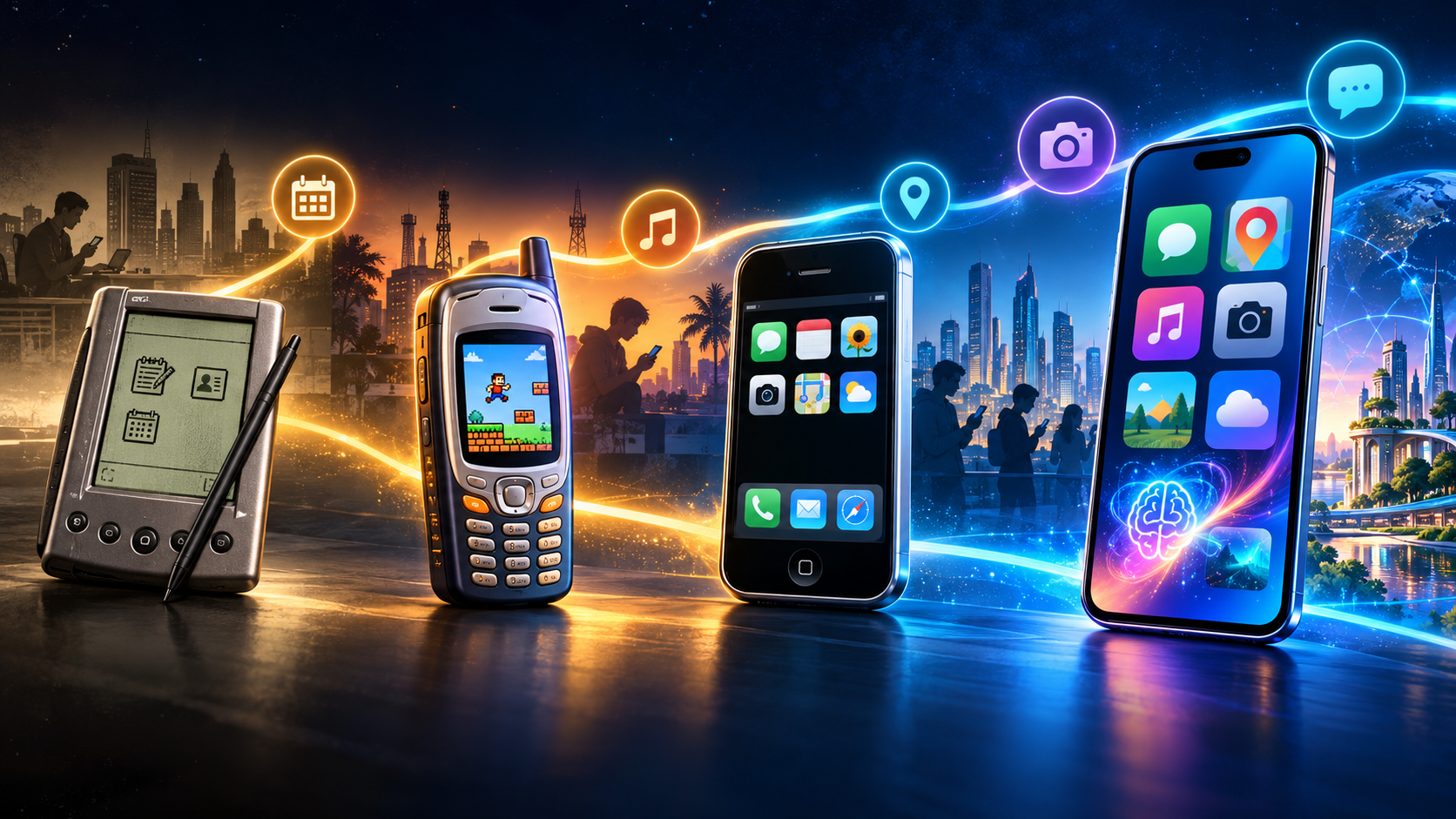
Before your phone had a glass screen full of colorful icons, a “mobile app” might be a tiny calendar on a gray-green handheld computer—or a snake game on a feature phone. The story of mobile app development is really a story about making computers smaller, networks faster, and software easier to discover.
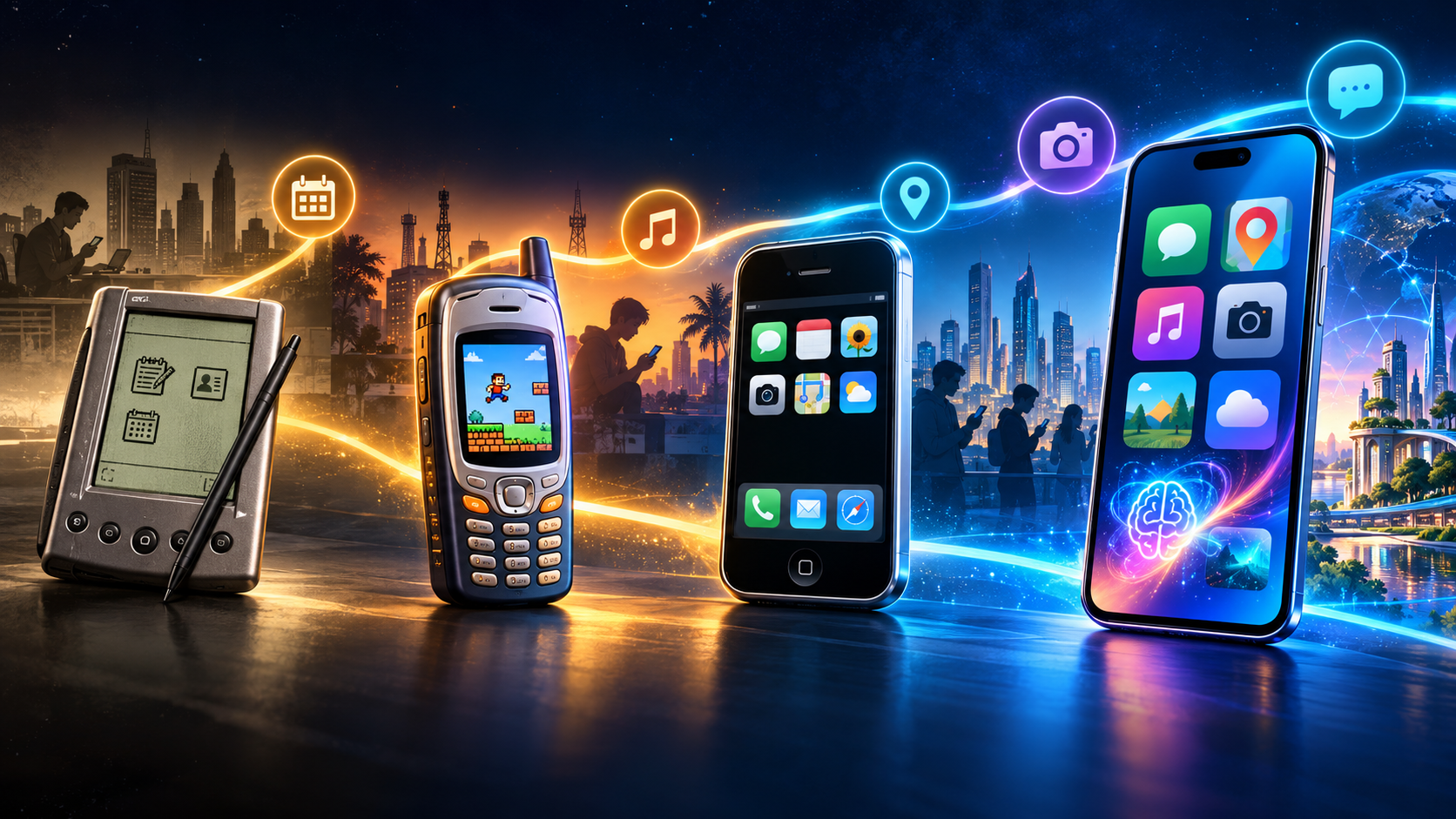
The surprising part? The smartphone did not invent mobile apps. It changed who could build them, how people found them, and what they could do.
A pocket-sized timeline
Before the app store: useful software in your pocket
1990s: organizers become tiny computers
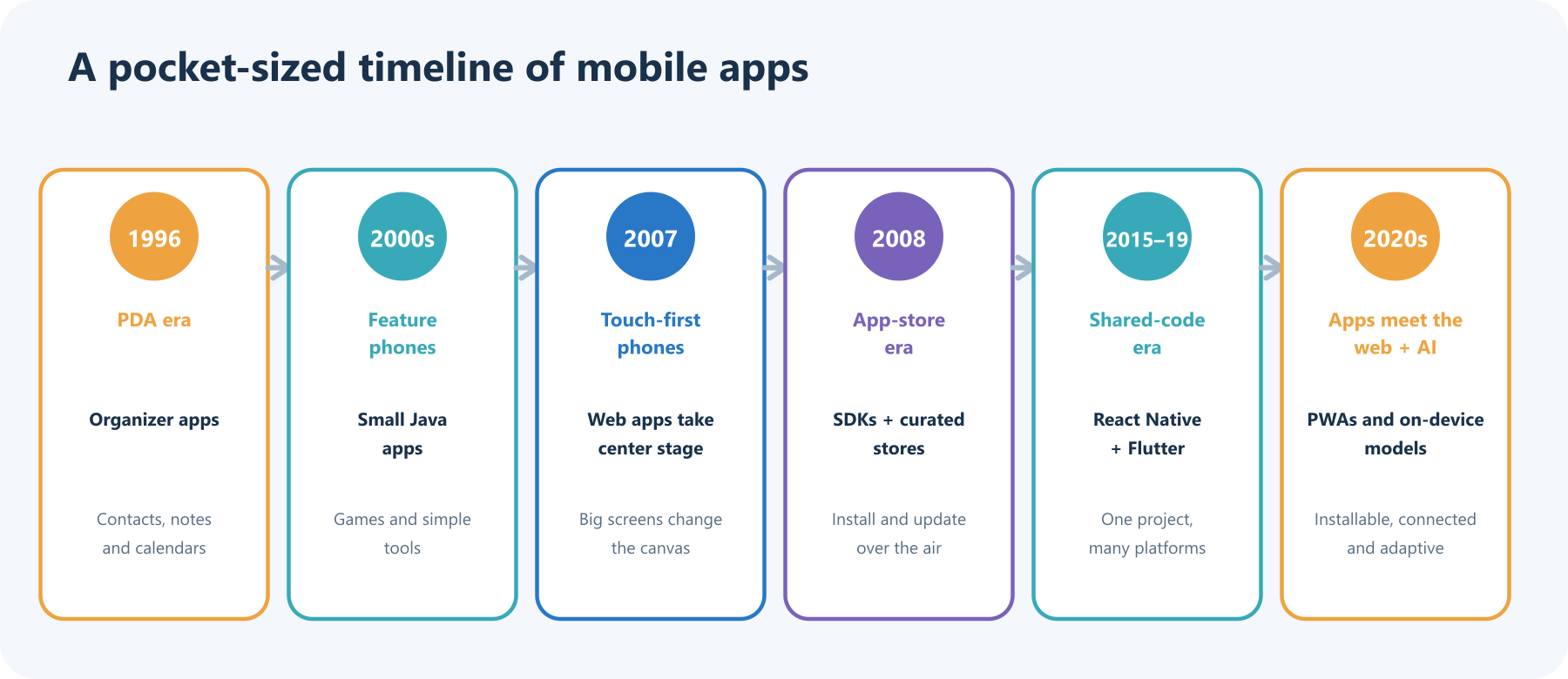
Handheld organizers made software personal and portable. Palm’s Pilot 5000, released in 1996, brought contacts, calendar, notes, and task management to a device that could travel in a pocket or bag. It was not a modern app-store phone, but it established a familiar idea: a handheld computer is more useful when you can shape it around your routines. Palm’s platform also supported third-party software, though installation and synchronization were a more hands-on affair than tapping “Get” today. Smithsonian National Museum of American History
2000s: Java apps squeeze into feature phones
As phones gained color screens and more capable processors, Java ME let developers build small programs for a wide range of handsets. Games, wallpapers, utilities, and messaging add-ons spread through carrier portals, websites, cables, and memory cards. The catch was variety: screen sizes, buttons, memory limits, and network behavior differed widely. Developers often had to adapt the same idea to a collection of device-specific constraints. Oracle’s Java ME overview
The touchscreen and the store change the rules
2007: a bigger canvas
When Apple introduced iPhone in 2007, it put a large multi-touch display, a web browser, music, and phone features into one tightly integrated device. The browser made the web feel like software you could carry; the touch interface gave developers a new canvas beyond number keys and tiny directional pads. Apple’s 2007 iPhone announcement
2008: developers get a front door
Apple announced an iPhone software development kit in March 2008 and opened the App Store in July. Android Market followed in October with the first Android phone. A curated store made installing and updating software dramatically simpler, while platform SDKs gave developers supported tools for building deeper device experiences. The marketplace became part of the product: search, reviews, screenshots, updates, and payments all shaped how an app reached people. Apple on the iPhone SDK, Apple on the App Store launch, Android Developers on Android Market
Apps grow into services—and development branches out
During the 2010s, phones became cameras, maps, music players, game consoles, wallets, and sensors. Apps started depending on cloud accounts and APIs as much as on the phone itself. Push notifications brought services back to users; GPS and cameras made apps context-aware; analytics helped teams see where people got stuck. The result was powerful—and a new responsibility to handle personal data carefully.
Developers also looked for ways to support multiple platforms without rebuilding every feature twice. React Native, announced as an open-source project in 2015, brought a JavaScript and React approach to native mobile interfaces. Flutter reached its 1.0 release in 2018 with a cross-platform UI toolkit. Apple introduced SwiftUI in 2019, and Android’s Jetpack Compose brought declarative UI development to Android. These tools changed how teams organize code, but none removes the need to understand each platform or test on real devices. React Native’s announcement, Flutter 1.0, SwiftUI announcement, Jetpack Compose
Today, there is more than one way to build an app
“Native or cross-platform?” is not a universal winner-takes-all contest. The right choice follows the job, the team, and the experience people need:
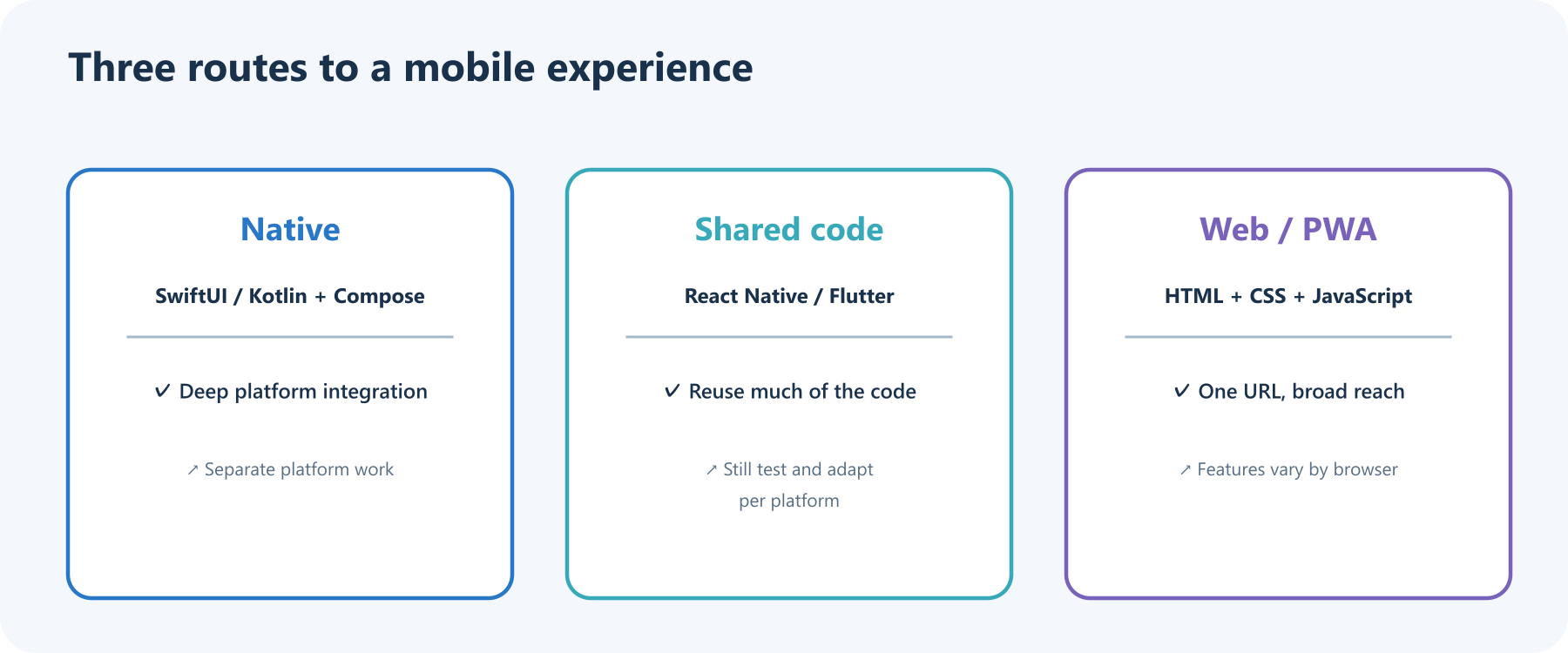
- Native apps use platform tools such as SwiftUI on Apple platforms or Kotlin with Jetpack Compose on Android. They offer direct access to platform capabilities and conventions, with platform-specific implementation work.
- Shared-code frameworks such as React Native and Flutter let teams reuse substantial parts of an app across platforms. Device APIs and interface details can still require platform-specific work, and each platform needs testing.
- Web apps and progressive web apps (PWAs) use web technologies and can be reached by URL. Some can be installed and work offline, but install prompts and capabilities vary by browser and operating system. MDN’s PWA installability guide
There is a fourth dimension now: where computation happens. A mobile app may call a cloud service, process data locally, or combine both. On-device AI can support some features without sending every request to a server, subject to the device’s hardware and the model’s capabilities. Android’s AI overview, Gemini Nano on Android
What is inside a modern mobile app?
Think of an app as a small team of parts working together. The screen is the visible member; local storage, phone capabilities, and optional cloud services do the supporting work.
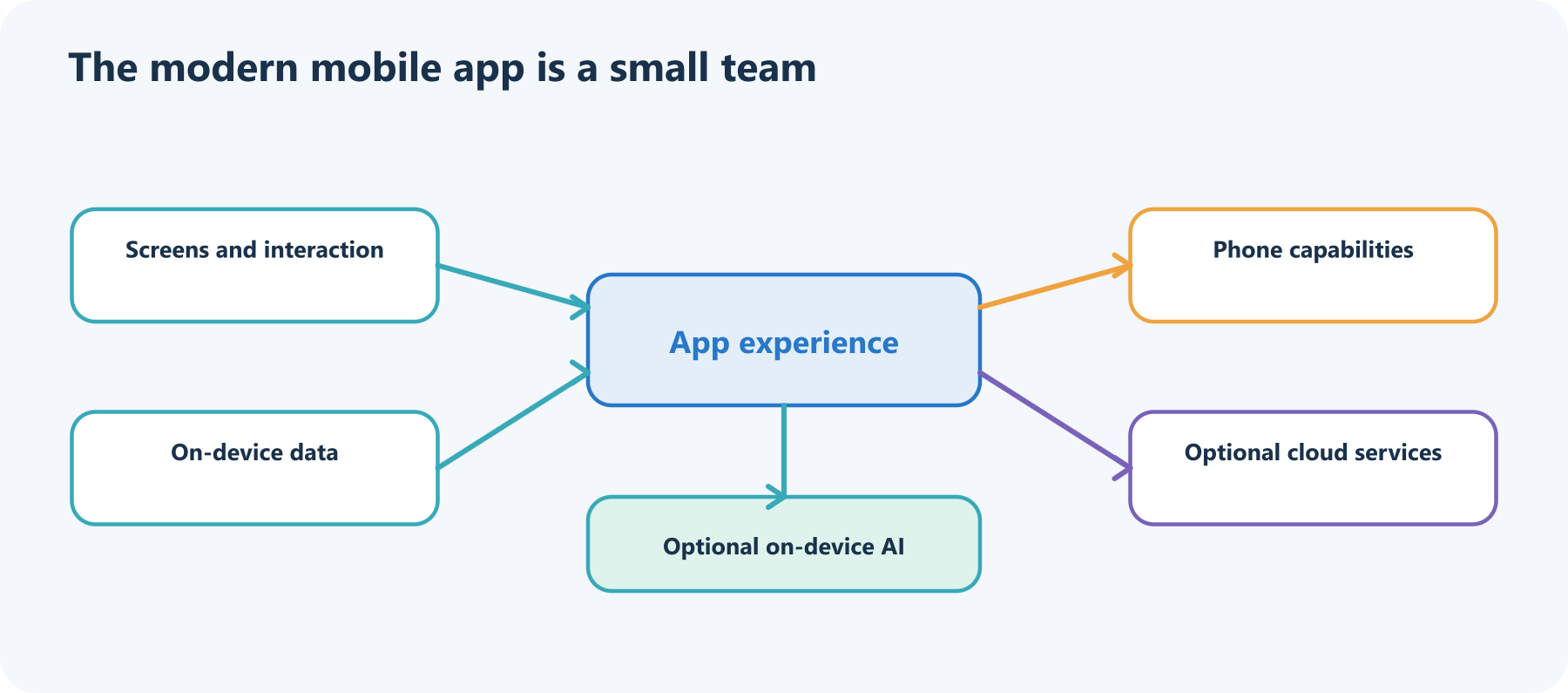
A notes app, for example, may show a screen, save drafts locally, use the camera to scan a page, and sync encrypted copies to an account. A translation app may send text to a cloud model—or use an on-device model when available. Good design makes the boundaries understandable and asks for sensitive permissions only when a feature needs them.
A modern build loop: start small, learn quickly
The old mental image of app development is “write code, ship app.” Real teams repeat a loop: discover a need, sketch a path, build one useful slice, try it with people and devices, release, then learn from what happens.
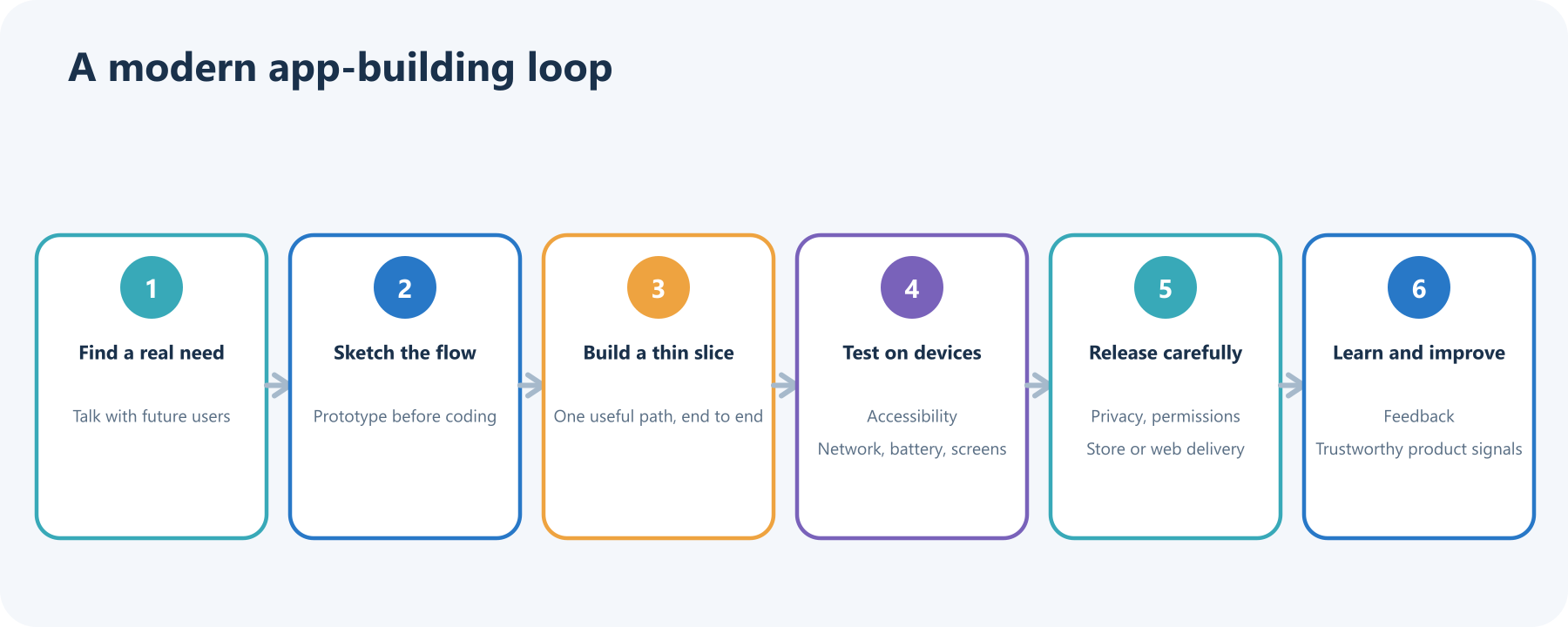
Here is a practical example. Imagine a community garden wants a watering reminder app. Start with one clear job: let a gardener record a bed and see when it needs water. Build that path before adding social feeds, badges, and an AI garden coach. Test it on a small phone, with large text, and with a poor connection. Ask whether location is truly necessary before requesting it. Ship to a small group, notice where they hesitate, and improve the next version.
That rhythm—useful slice, real-device test, thoughtful release, feedback—survived every shift in phone hardware and programming style.
What changed, and what stayed?
The devices changed from stylus-driven organizers to always-connected touch computers. Distribution changed from syncing files and carrier portals to searchable stores and direct web links. Development changed from fitting tiny screens and memory budgets to managing services, privacy, accessibility, and many device shapes.
The enduring goal stayed simple: put a useful tool close at hand. The best mobile app is not the one with the longest feature list. It is the one that makes a real task easier, respects the person using it, and still works when the signal is weak or the screen is small.
Sources and further reading
- Smithsonian: Palm Pilot 5000
- Oracle: Java ME mobility
- Apple: iPhone introduced in 2007
- Apple: SDK and App Store milestones
- Android Developers: Android Market launches
- React Native: project announcement
- Flutter: 1.0 release
- Apple: SwiftUI
- Android Developers: Jetpack Compose
- MDN: making PWAs installable
- Android Developers: AI on Android
Read next

Build Your Own MCP Server: Give AI a New Superpower
Build a tiny MCP server from scratch: expose a useful tool, connect it to an AI host, test the conversation, and learn the safety checks that turn a fun demo into a solid integration.
 nbkhope
A Brief History of Computer Programming: From Wires to Apps
From Ada Lovelace’s 1843 notes to today’s apps and AI coding assistants, see how programming changed—and what a program really is—in plain language.
nbkhope
A Brief History of Programming Languages: From Machine Code to Modern Tools
From machine code and FORTRAN to Python, JavaScript, and Rust, explore how programming languages evolved and why there are so many.
nbkhope
Comments
Be kind and specific. Comments with links from new accounts appear after a moderator reviews them.