MCP Server Authentication Explained: OAuth, Tokens, and Trust
MCP authentication is more than a password on a server. Learn how OAuth, token audiences, scopes, and per-tool checks fit together for remote MCP—and what local stdio servers should do instead.


On this page
MCP Server Authentication Explained: OAuth, Tokens, and Trust
Your AI assistant can summarize a public webpage without asking who you are. But if it is about to read a private calendar or update a customer record, “the model asked” is not a security check. The server needs to know which client is calling, whose authority the request represents, and what that identity is allowed to do.
That is the job of authentication and authorization around an MCP server. Let’s make the moving parts feel less like a bowl of alphabet soup—and trace what actually happens when a remote MCP connection needs a login.

Two questions, two answers
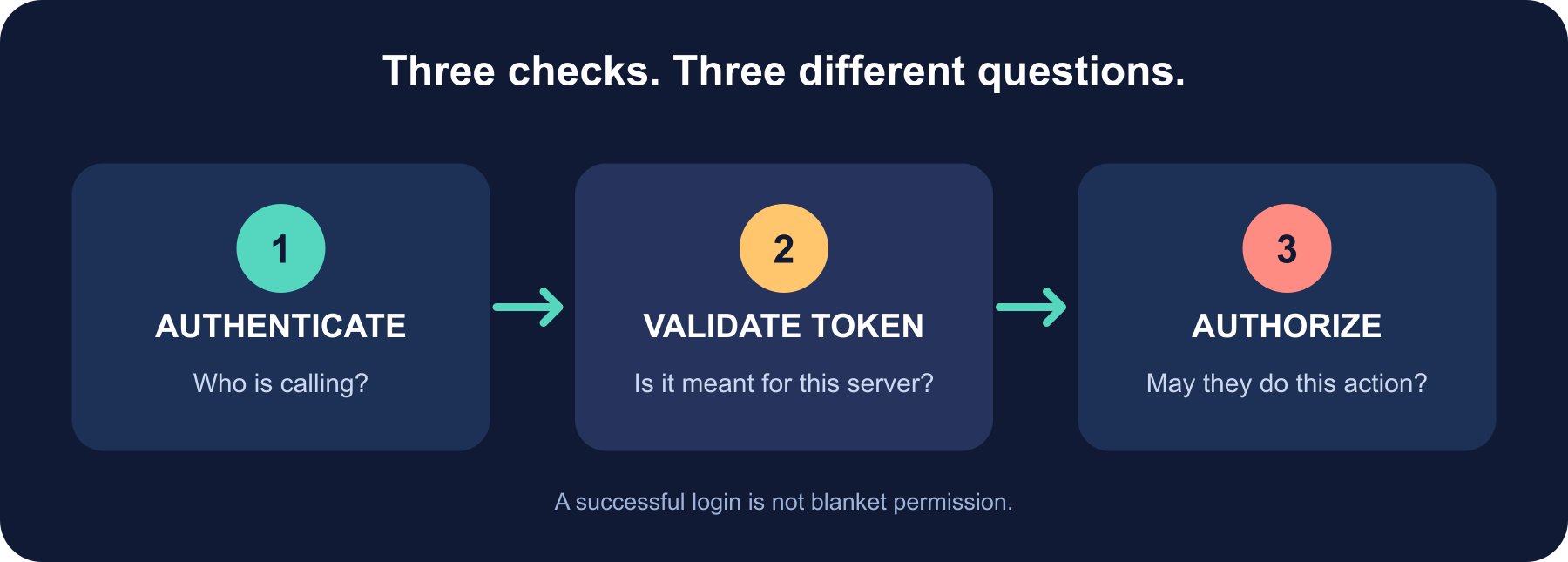
Authentication answers “Who or what is making this request?” Authorization answers “What may that identity do here?” A valid login does not automatically grant access to every tool or every record.
MCP does not require every server to use OAuth. A public, read-only service may need no user sign-in. But a remote HTTP server that accesses private or consequential data needs a deliberate identity and permission design. The current MCP authorization specification describes OAuth-based authorization for HTTP transports; local stdio servers use a different model.
The cast of a remote MCP login
Think of the MCP client as the connector inside an AI host, the MCP server as the protected service, and the authorization server as the identity provider that authenticates a user and issues tokens. In the OAuth vocabulary, the MCP server is the resource server: it receives and validates access tokens. It should not pretend to be the login provider.
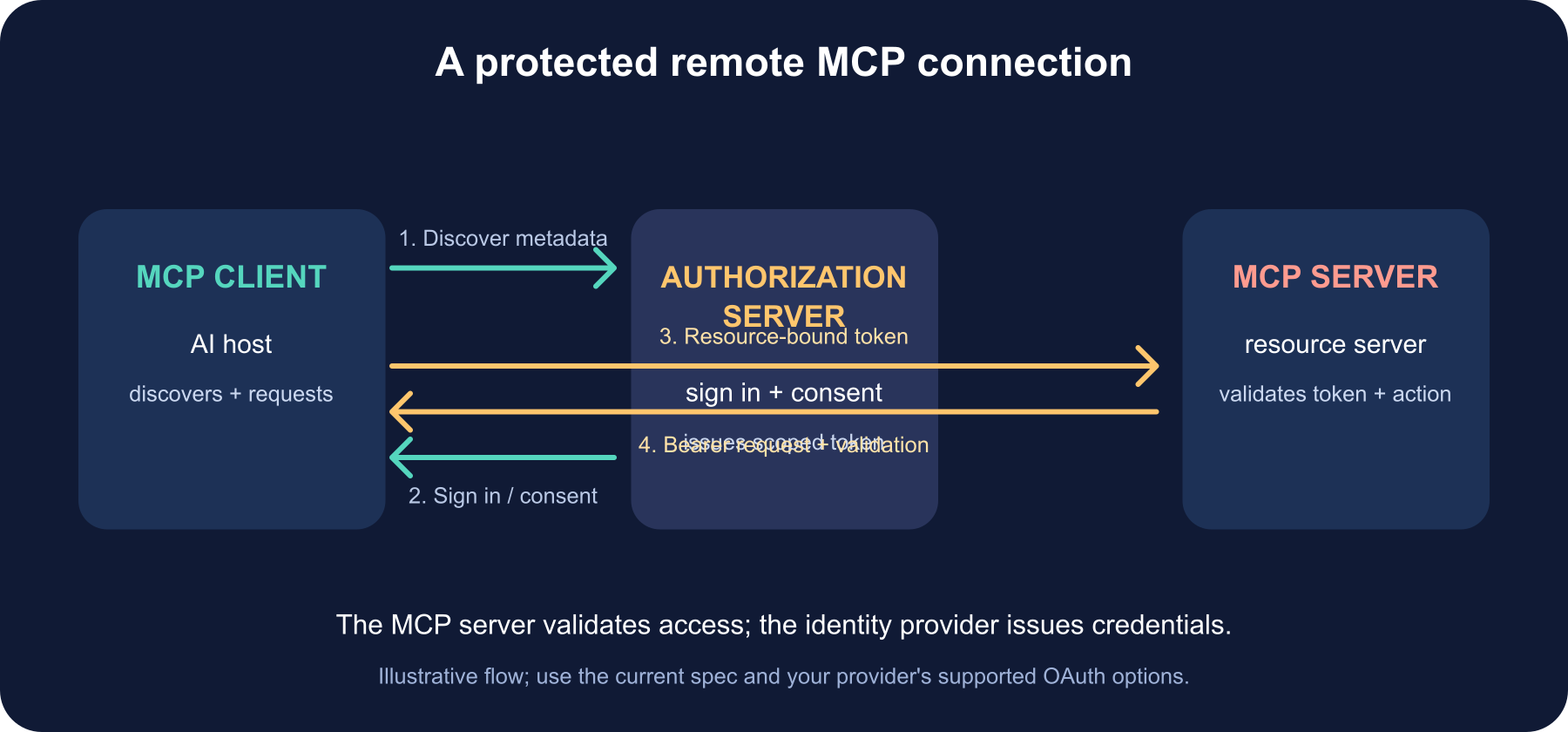
Here is the shape of a typical protected HTTP connection:
- The client tries to connect. If it needs authorization, the server responds with HTTP 401 and a
WWW-Authenticatechallenge that points to protected-resource metadata. - The client discovers which authorization server can issue credentials for that resource. Metadata discovery avoids asking an untrusted server to invent an arbitrary login URL.
- The client starts an OAuth flow. In the common interactive case, the user signs in with the identity provider and approves the requested access. The client uses the flow appropriate to its client type, including PKCE for public clients.
- The authorization server issues an access token for the intended MCP resource, with the permissions that were approved.
- The client retries its MCP request with
Authorization: Bearer <access-token>. The MCP server validates the token before processing the request.
The exact client registration and discovery options depend on the deployed OAuth ecosystem. Follow the current MCP authorization specification and your identity provider’s guidance rather than copying an old “OAuth for MCP” snippet from a blog post.
The token’s destination matters
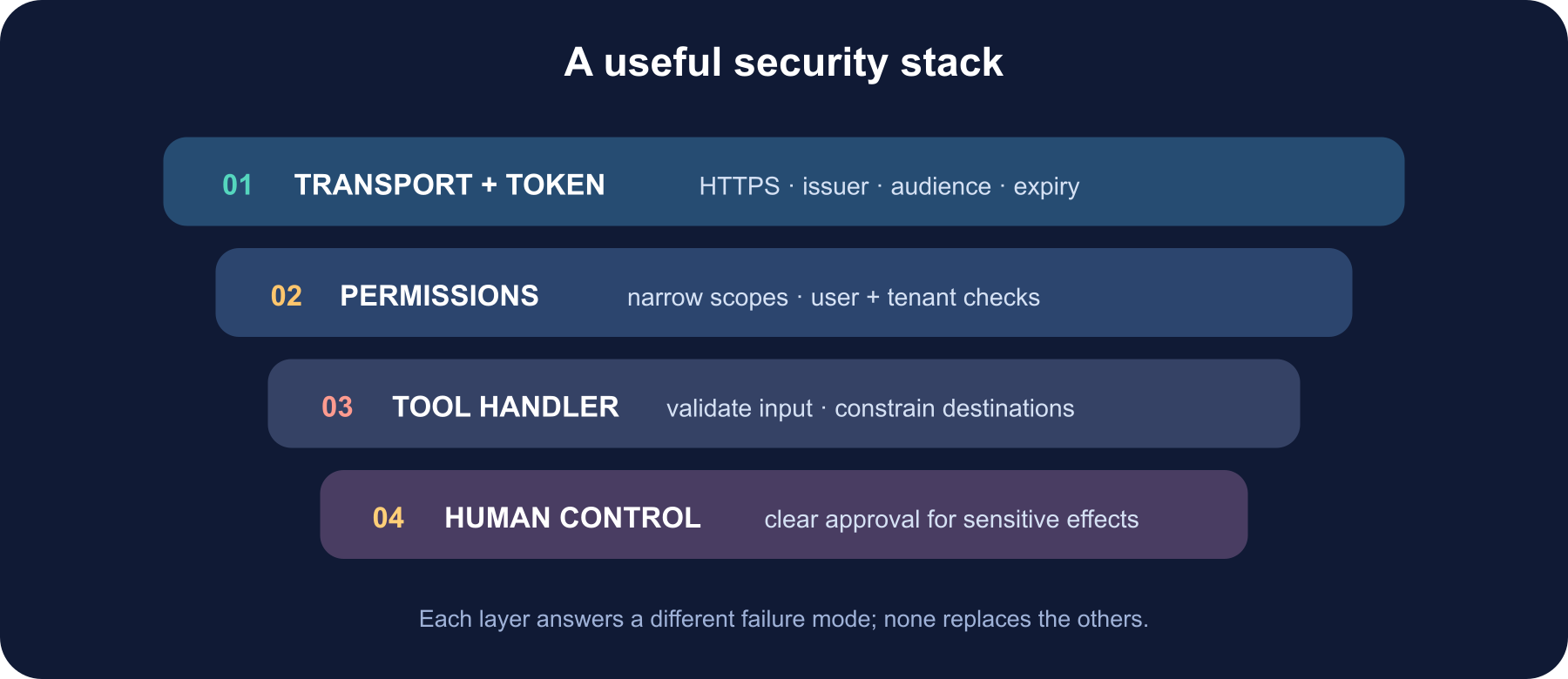
A bearer token is like a ticket: whoever holds it may use it, within its limits. A token meant for one API must not become a universal pass. The authorization server should bind the token to the MCP server’s resource/audience, and the MCP server should reject a token whose audience, issuer, signature, expiry, or other required claims do not match its policy.
Then check permission at the point of use. A token may permit calendar:read without permitting calendar:write; a user may be allowed to see one workspace and not another. Keep scopes narrow, and still enforce user-, tenant-, and record-level rules in each tool handler. The token gate gets a caller into the building; it does not decide that every room is theirs.
Authentication is not a “trust the model” switch
Even after login, tools remain real capabilities. A tool that sends email, deletes files, transfers money, or changes production settings deserves careful input validation and an explicit approval experience where appropriate. The model can suggest a call; your server must validate arguments, apply the caller’s actual permissions, and make dangerous side effects understandable to the user.
Watch for the security pitfalls called out in MCP’s security guidance: confused-deputy problems, unsafe token forwarding, server-side request forgery (SSRF), malicious authorization URLs, overly broad scopes, and local server processes that can be replaced or impersonated. Treat tool descriptions and results as untrusted input, too. Authentication is one layer in a system, not a force field around bad tool design.
What about a local stdio server?
A local MCP server launched over standard input and output does not perform the HTTP OAuth discovery flow. The MCP authorization spec says stdio implementations should obtain credentials from the environment rather than implement that HTTP authorization mechanism. In practice, use the host’s documented secret or credential store where available, limit the permissions of the local process, and never print secrets to logs or protocol output.
Be careful with inherited environment variables: they can leak through diagnostics, crash reports, child processes, or an overly permissive machine account. A local server is still executable code with access to the user’s machine, so install and update it from sources you trust.
A practical checklist
| Check | What a sound setup does |
|---|---|
| Transport | Uses HTTPS for remote HTTP connections |
| Discovery | Uses the MCP protected-resource metadata flow and a trusted authorization server |
| Token | Checks signature, issuer, expiry, and the intended resource/audience |
| Permissions | Requests minimal scopes and enforces access again inside each tool |
| Downstream APIs | Uses credentials intended for that API; never forwards an unrelated bearer token |
| Side effects | Validates inputs and gives the user a clear approval path for sensitive actions |
| Operations | Avoids logging tokens, rotates credentials, and monitors authentication failures |
Local stdio | Uses the host’s supported credential mechanism and restricts process access |
If you are building a server, use an MCP SDK’s authorization support and a maintained identity provider instead of hand-rolling token parsing. Test the rejected cases as carefully as the successful login: wrong audience, expired token, missing scope, revoked account, and access to another user’s data.
The takeaway
MCP authentication is a coordinated handshake between a client, a protected resource, and an authorization server. OAuth can establish who approved access and issue a token, but your MCP server still has to validate that token, limit what it can reach, and authorize each action. Keep those checks distinct and a login becomes a useful safety boundary—not a magic “trust this AI” button.
Further reading
Read next

How to Generate Audio from Text with Text-to-Speech (TTS)
Turn a written script into spoken audio: try your browser’s built-in voice, then generate an MP3 with a modern text-to-speech API. Learn voice selection, SSML pronunciation fixes, and quality checks.
 nbkhope
How to Label AI Data: A Practical Guide to Better Training Examples
Learn to label AI data with a clear task, practical label rules, a small pilot, and quality checks that catch disagreements instead of hiding them. Includes a worked customer-support example.
nbkhope
Build Your Own MCP Server: Give AI a New Superpower
Build a tiny MCP server from scratch: expose a useful tool, connect it to an AI host, test the conversation, and learn the safety checks that turn a fun demo into a solid integration.
nbkhope
Comments
Be kind and specific. Comments with links from new accounts appear after a moderator reviews them.