
How to Review AI-Generated Code: Find the Bug Behind the Plausible Function
A plausible AI-generated URL check hides a real boundary bug. Reproduce it with Node tests, fix the rule, and use a review workflow that checks behavior, dependencies, and assumptions.

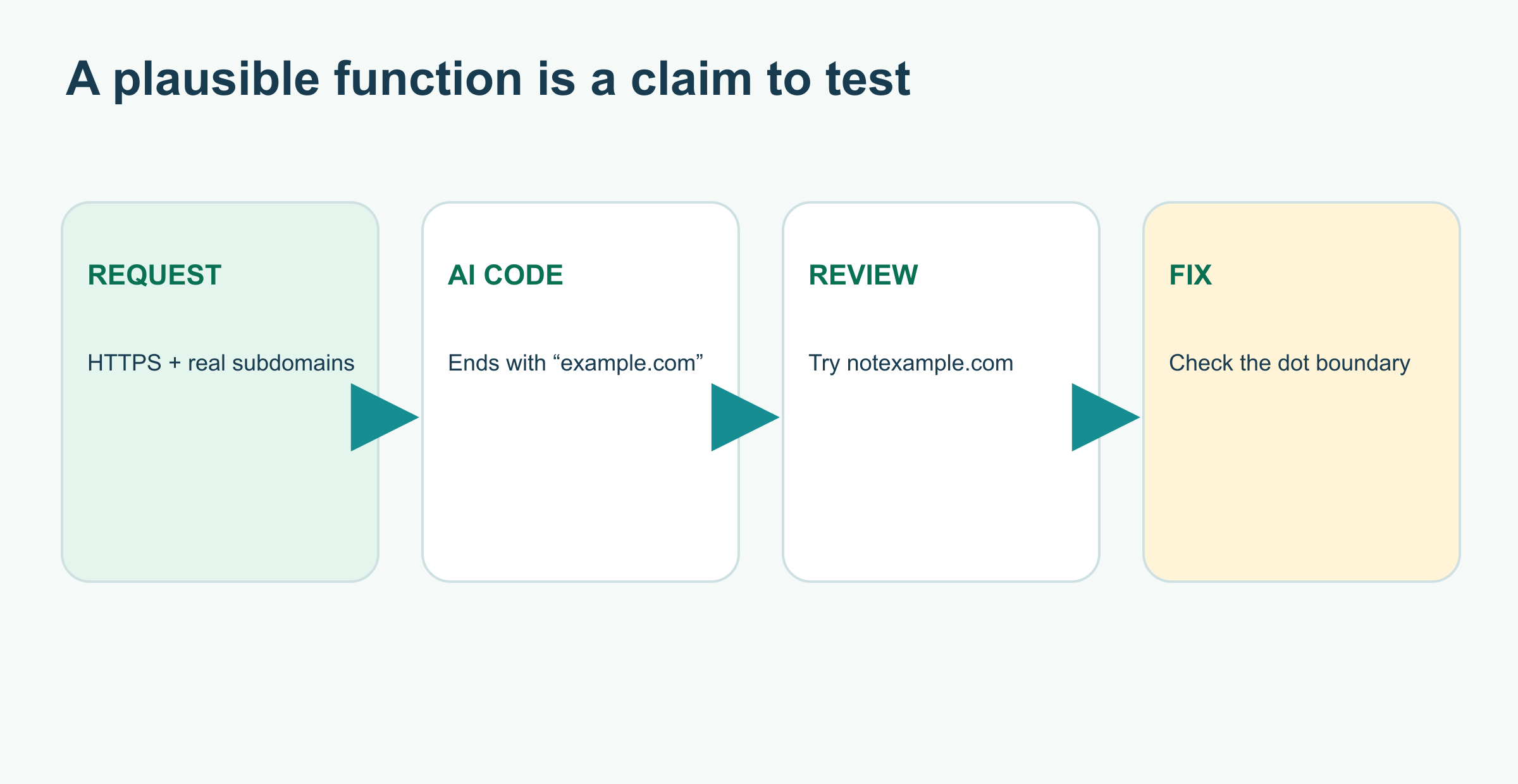
On this page
How to Review AI-Generated Code: Find the Bug Behind the Plausible Function
An assistant writes a six-line helper. It is readable, uses the right API, and passes the obvious example. Would you ship it? The fastest useful review is to ask what promise the code is supposed to keep, then try an input near the edge of that promise.
We'll review a fictional AI-generated JavaScript function that decides whether a URL belongs to example.com or one of its subdomains. example.com is a reserved example domain; the code is a teaching exercise, not a production access-control system. The example runs with Node.js and has no dependencies.
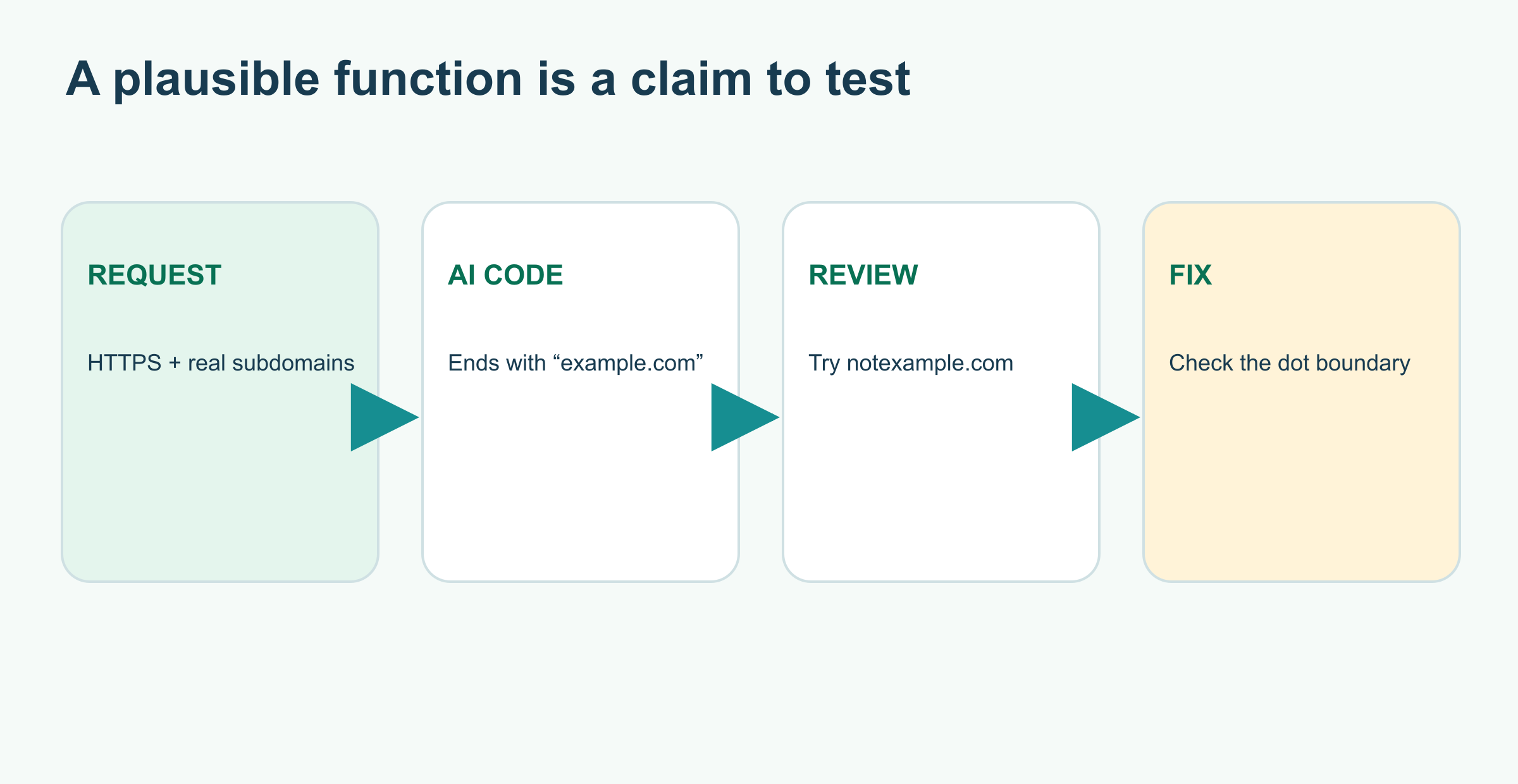
The answer that looks right
The request was: “Accept HTTPS URLs for example.com and its subdomains. Reject other hosts and malformed URLs.” The generated function might be:
1function isAllowedUrl(raw) {
2  const url = new URL(raw);
3  return url.hostname.endsWith('example.com');
4}
It accepts https://example.com and https://docs.example.com. That is why it looks good in a quick demo. But endsWith('example.com') checks a string suffix, not a domain boundary. It also never checks the requested https: protocol, and new URL throws on malformed input.
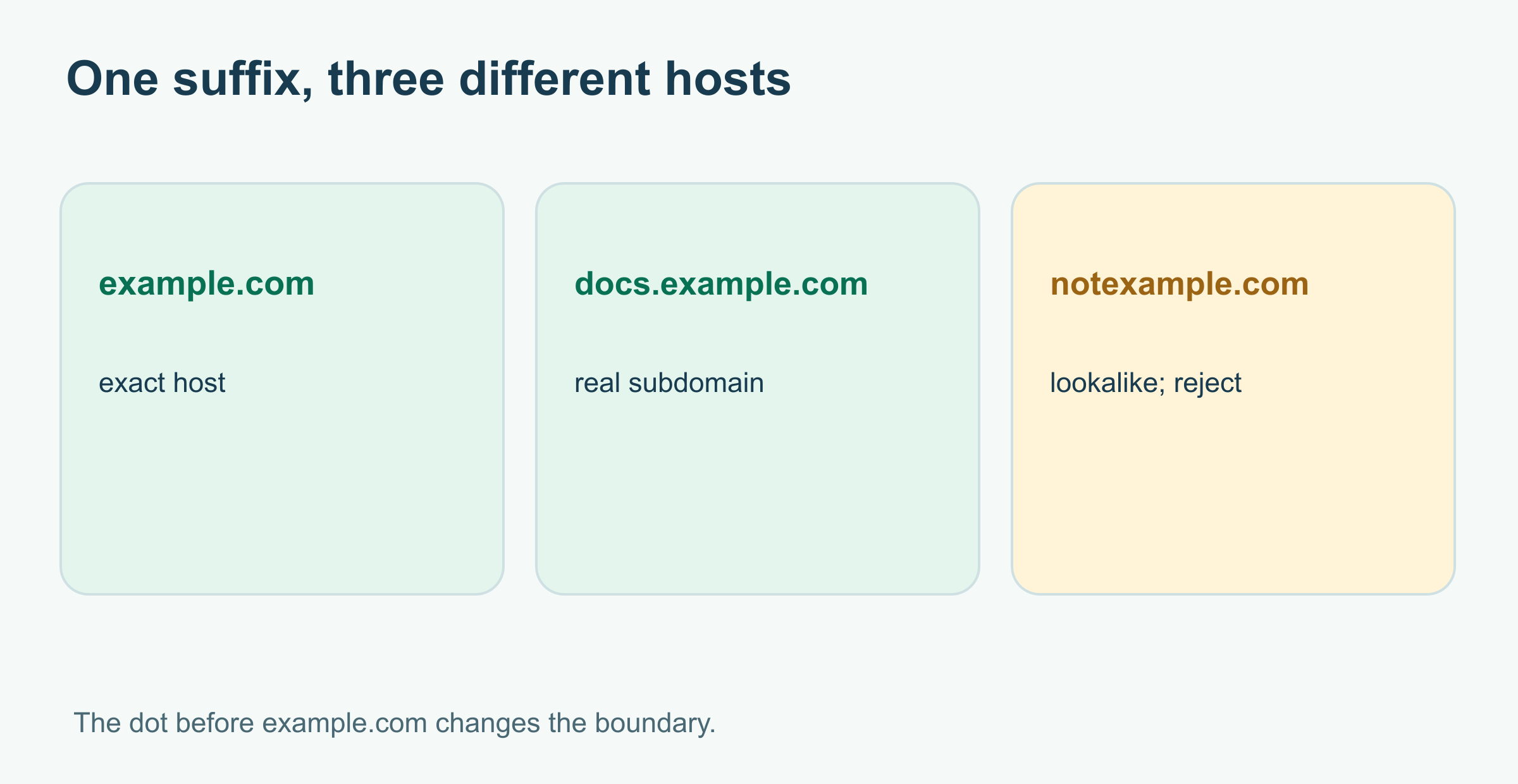
The hidden case is https://notexample.com: its hostname ends in the same letters. The function returns true when the requirement says false. A developer reviewing only a normal subdomain would miss it.
Turn the promise into tests
Here is a small table of expected results. It includes success, a lookalike, a wrong protocol, and an invalid URL:
| Input | Expected | Why |
|---|---|---|
https://example.com | true | Exact host |
https://docs.example.com | true | Dot-separated subdomain |
https://notexample.com | false | Lookalike, not a subdomain |
http://example.com | false | Wrong protocol |
not a URL | false | Invalid input |
The original function fails the last three cases: it accepts the lookalike and HTTP, then throws instead of returning false for malformed text. This is a stronger finding than “the code feels unsafe”: you can reproduce exactly where it breaks.
A corrected version you can run
Save the following as review.mjs, then run node review.mjs. The assertions are part of the example, so a failed check exits with an error:
1import assert from 'node:assert/strict';
2
3function isAllowedUrl(raw) {
4  try {
5    const url = new URL(raw);
6    const host = url.hostname;
7    return url.protocol === 'https:' &&
8      (host === 'example.com' || host.endsWith('.example.com'));
9  } catch {
10    return false;
11  }
12}
13
14assert.equal(isAllowedUrl('https://example.com'), true);
15assert.equal(isAllowedUrl('https://docs.example.com'), true);
16assert.equal(isAllowedUrl('https://notexample.com'), false);
17assert.equal(isAllowedUrl('http://example.com'), false);
18assert.equal(isAllowedUrl('not a URL'), false);
19console.log('5 checks passed');
5 checks passedThe leading dot in .example.com matters: it distinguishes a subdomain from a hostname that merely ends with the same letters. The protocol check implements the original HTTPS requirement; the try/catch turns malformed input into a predictable result. These tests check the stated rule, not every possible URL policy. A production caller might also need rules for ports, credentials, redirects, DNS changes, or where the URL will be used. Write those requirements before treating this helper as a security boundary.
Review more than the happy path
For any AI-generated change, move through four questions:
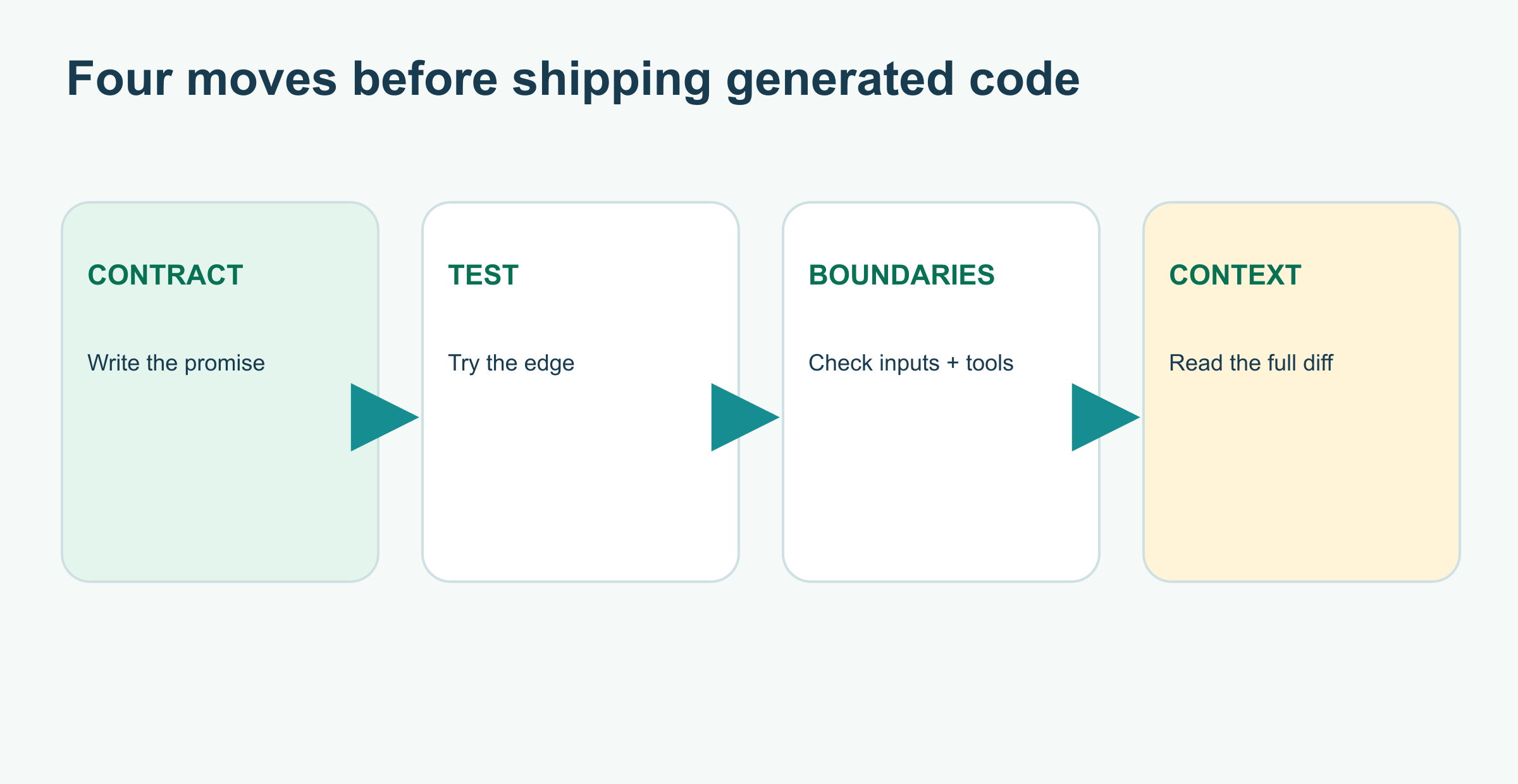
- Does it solve the requested problem? Compare the code with the actual requirement, including error behavior and inputs outside the demo.
- Can you reproduce the behavior? Run the project checks and add a small test for the edge that would matter if wrong. Keep the failing test when you fix a bug.
- What does it touch? Inspect new dependencies, network calls, file access, secrets, and user-controlled input. An audit tool can flag known package vulnerabilities, but it will not prove your logic is correct.
- Does the change fit the project? Read the whole diff, callers, data flow, and existing conventions. A green test suite can miss a requirement that nobody wrote into a test.
GitHub's guide to reviewing AI-generated code emphasizes automated checks plus human review of context and intent. npm's audit documentation explains what its dependency report covers; it is a useful extra check when packages were added, not a review of this URL rule.
The useful mindset is simple: treat generated code as a candidate patch with a claim attached. Find the claim, make it testable, and own the decision to ship it. For a broader introduction, see What Is Vibe Coding? and How to Test an AI Assistant.
Sources and further reading
Read next
What Is Retrieval-Augmented Generation (RAG)?
Retrieval-augmented generation lets an AI answer with relevant documents at question time. Follow three fictional policy passages through search, selection, and a source-checked reply.
 nbkhope

How to Test an AI Assistant Before You Rely on It
Before trusting an AI assistant, give it a small set of realistic tasks and score what it actually does. Build a five-case test, compare two versions, and learn what the scores miss.
nbkhope
Prompt Injection Explained: When a Web Page Gives Your AI Instructions
A web page can contain instructions meant for an AI assistant rather than for you. Follow a harmless museum-page example to see the trust boundary and practical safeguards.
nbkhope
Comments
Be kind and specific. Comments with links from new accounts appear after a moderator reviews them.