The History of Kubernetes: From Google Project to Cloud Native Foundation
Trace Kubernetes from its Google roots and 2014 launch through CNCF governance, runtime standards, and a global open-source community—and learn why its Docker history is often misunderstood.


On this page
The History of Kubernetes: From Google Project to Cloud Native Foundation
Kubernetes began with a big, practical question: once an application is split into containers, who keeps all those pieces running across a fleet of machines? The project grew from Google’s experience operating large-scale systems into a global open-source platform maintained by a broad community.
Its history is also a story about interfaces. Kubernetes first worked directly with Docker, then adopted standard ways to connect runtimes, storage, and networking. That evolution made room for a much larger ecosystem.

Before Kubernetes: lessons from Borg
Google had years of experience managing large production workloads with internal systems such as Borg. Kubernetes was influenced by that experience, and some of its early developers had worked on Borg. But Borg was not simply released as Kubernetes; Kubernetes was a new open-source project, built with lessons from Google and contributions from the wider community.
The Greek word kybernētēs means “helmsman” or “pilot.” The nickname K8s shortens the word by replacing the eight letters between “K” and “s.” The metaphor fits: Kubernetes helps steer workloads toward a declared destination while responding to changes in the cluster.
2014–2015: an open-source project takes shape
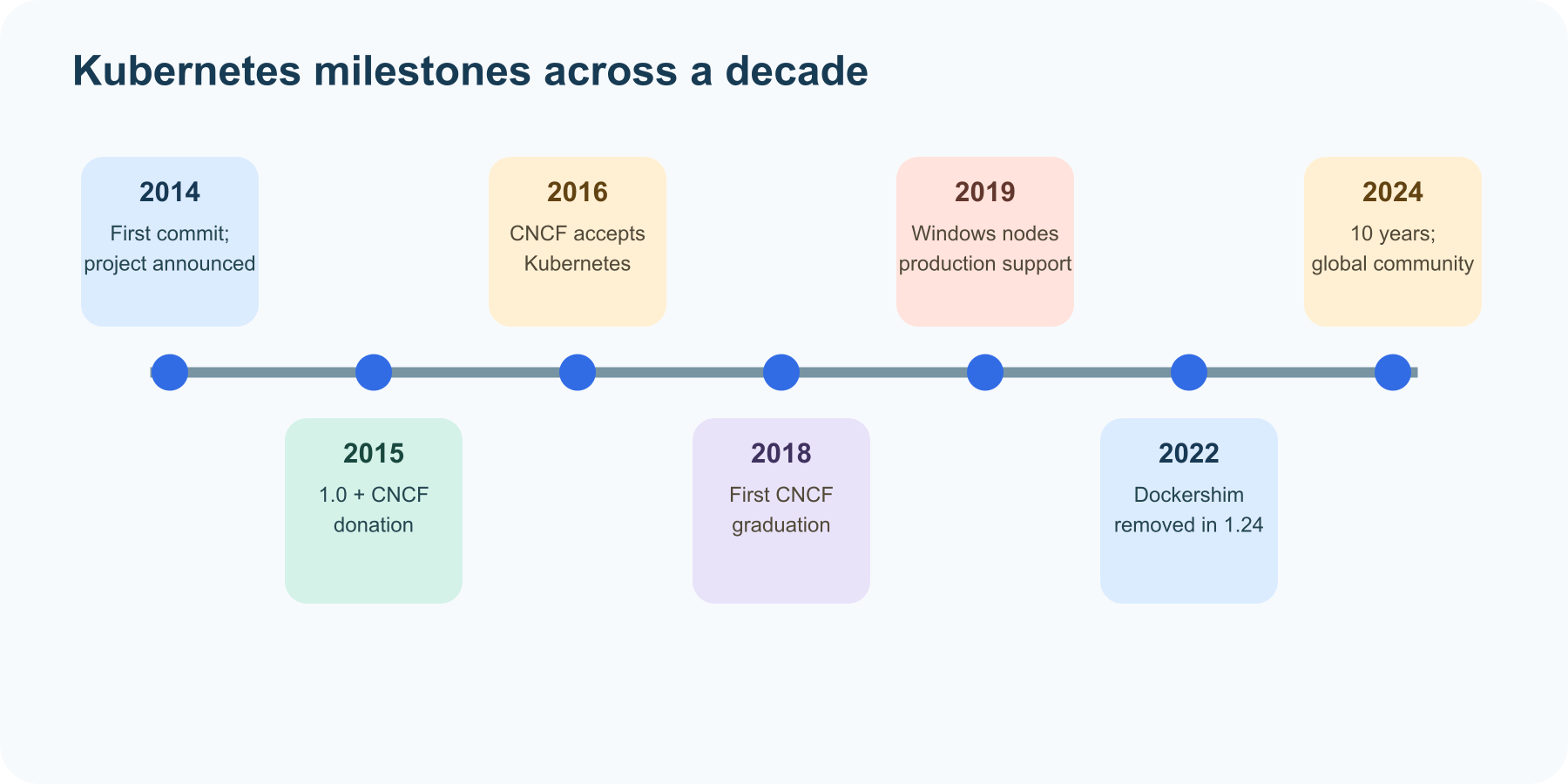
The Kubernetes repository’s first commit landed on June 6, 2014. Google announced the project publicly four days later at DockerCon. The early project focused on scheduling and managing containers across multiple machines, drawing on operational experience while inviting outside developers to help shape the system.
Kubernetes 1.0 was released on July 21, 2015. Google announced that the project would be donated to the newly formed Cloud Native Computing Foundation (CNCF), establishing a neutral home for community stewardship. The platform’s scope was already broadening beyond simply starting containers: applications needed services, storage, cluster management, and ways to describe desired state.
2016–2018: community governance and graduation
Kubernetes became the CNCF’s first hosted project in March 2016. A project that had started at Google was now being built and governed by contributors across companies and countries. Kubernetes 1.5 introduced an early form of the Container Runtime Interface (CRI), an important step toward letting Kubernetes communicate with more than one container runtime.
In March 2018, Kubernetes became the first project to graduate from the CNCF. Graduation recognized adoption and the project’s governance and community processes. It was a milestone for open-source infrastructure: a platform used across an expanding ecosystem had a community able to guide its ongoing development.
Growing through interfaces
Kubernetes continued to add support for different workloads and infrastructure. Windows nodes gained production-level support in Kubernetes 1.14 in 2019. The project developed standard interfaces for key integrations: CRI for container runtimes, CSI for storage, and CNI for networking. Extensible APIs and controllers allowed the community to add capabilities without baking every vendor feature into the core.
This approach explains one famous Docker milestone. Early Kubernetes used Docker Engine through a built-in adapter called dockershim. After Kubernetes added CRI support, the built-in shim became a special case to maintain. The project deprecated it in 2020 and removed it in Kubernetes 1.24 in 2022. Docker-built images remained usable; the change was about which runtime interface Kubernetes used on its nodes. Docker remains useful for building and testing images, while a cluster can run them with a CRI-compatible runtime such as containerd or CRI-O.
What Kubernetes coordinates
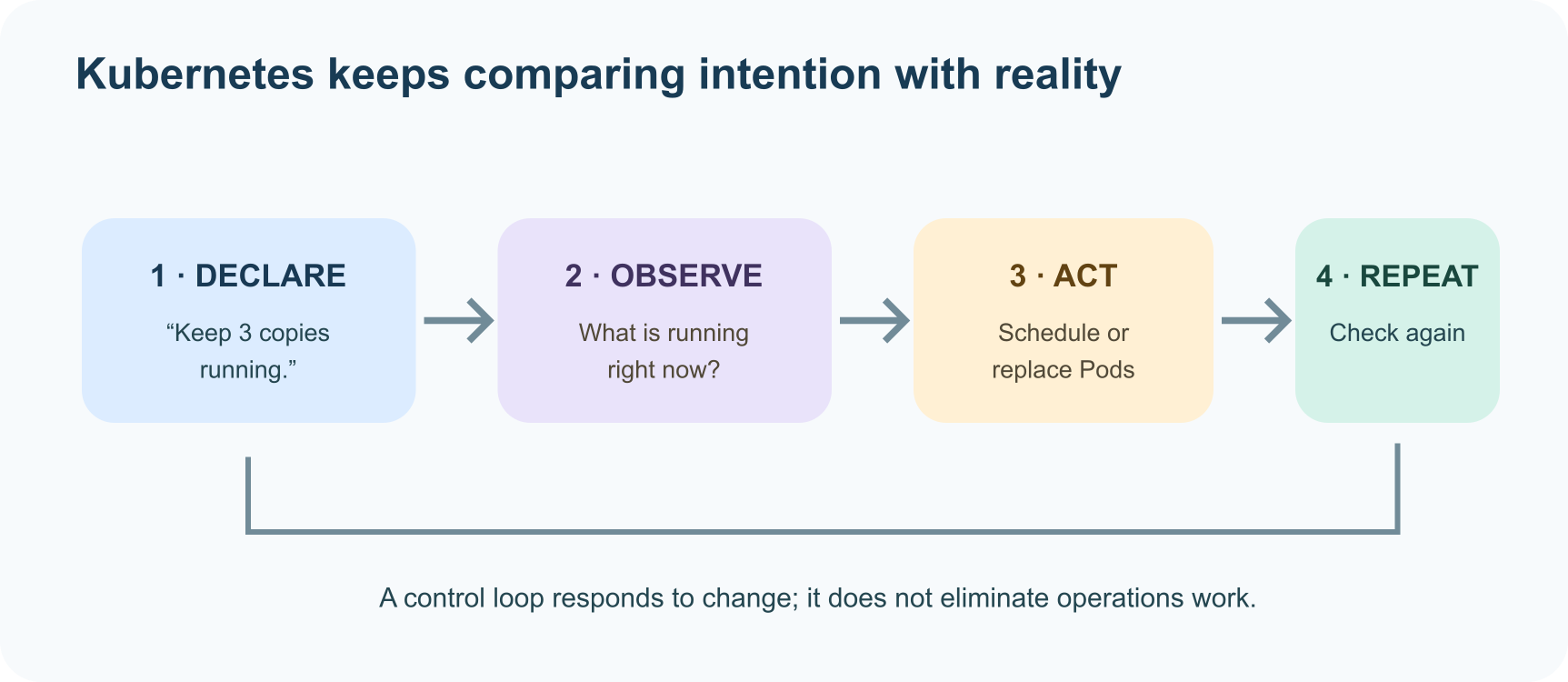
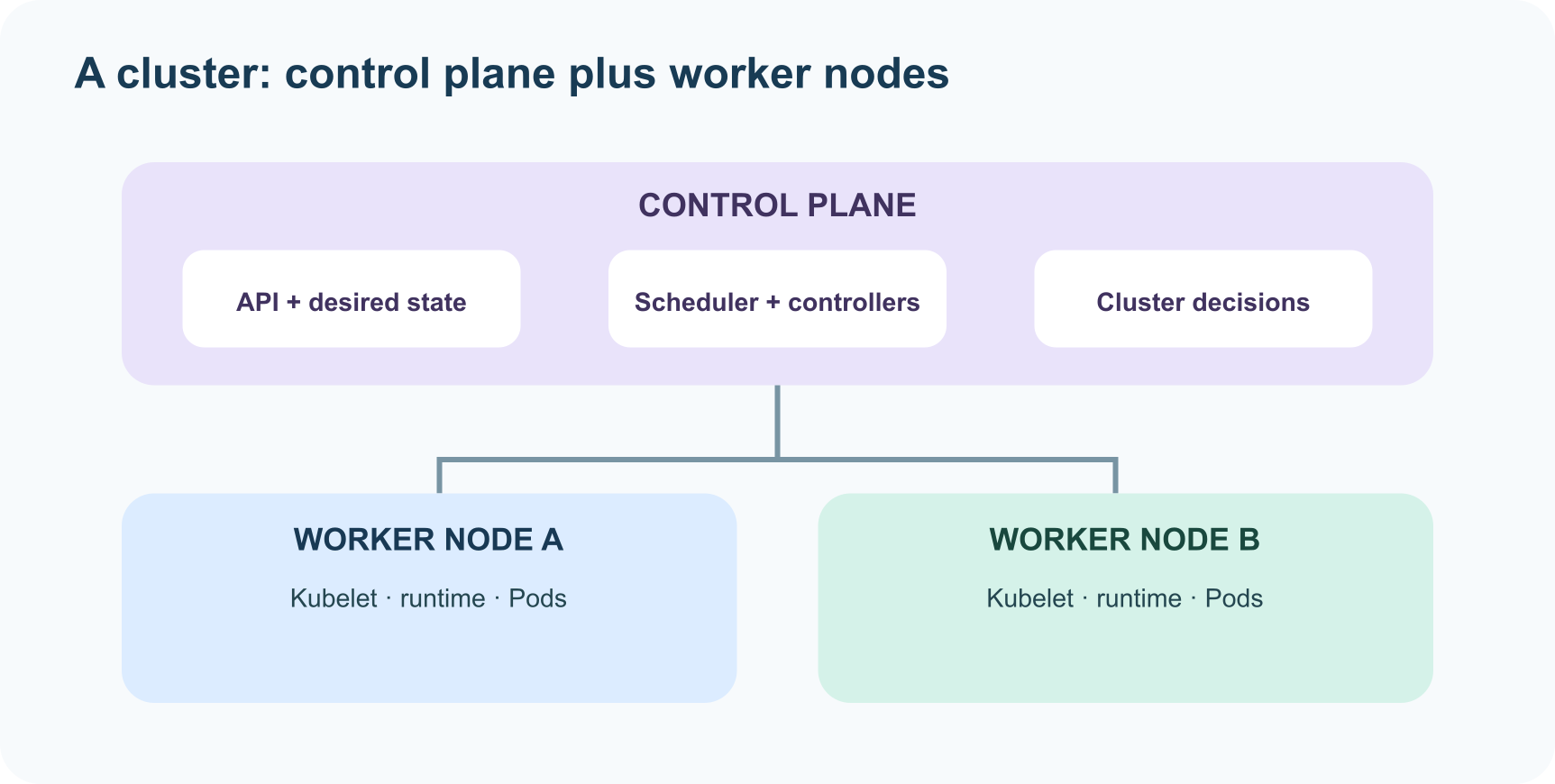
A Kubernetes cluster has a control plane and worker nodes. You describe the outcome you want—such as “keep three copies of this app running”—and Kubernetes controllers continually compare the desired state with what is actually running. If a container or node fails, the system can take action to move closer to the requested state.
The historical shift is from “a tool that launches containers” to “a platform with APIs for coordinating workloads.” Kubernetes is extensible and powerful, but it does not eliminate infrastructure work. Teams still plan security, networking, storage, upgrades, observability, and operational ownership. For a small project, a simpler deployment can be the better tool.
From one project to a cloud native commons
In 2024, the Kubernetes community marked ten years since the project’s first commit. Its path—from Google’s operational experience, through open-source release and CNCF governance, to a huge network of contributors—shows how infrastructure software can evolve through shared interfaces and community stewardship.
The name promises a pilot, not autopilot. Kubernetes can keep a declared system moving toward its target, but people still choose the target, design the system, and decide how to operate it responsibly.
Further reading
- 10 Years of Kubernetes — Kubernetes project
- Borg: The predecessor to Kubernetes — Kubernetes project
- Kubernetes overview and what Kubernetes is not — Kubernetes Docs
- Kubernetes cluster architecture — Kubernetes Docs
- Kubernetes becomes CNCF’s first hosted project — CNCF
- Kubernetes becomes CNCF’s first graduated project — CNCF
- Dockershim removal FAQ — Kubernetes
- Kubernetes 1.14 and production-level Windows node support — Kubernetes
Read next

How to Generate Audio from Text with Text-to-Speech (TTS)
Turn a written script into spoken audio: try your browser’s built-in voice, then generate an MP3 with a modern text-to-speech API. Learn voice selection, SSML pronunciation fixes, and quality checks.
 nbkhope
How to Label AI Data: A Practical Guide to Better Training Examples
Learn to label AI data with a clear task, practical label rules, a small pilot, and quality checks that catch disagreements instead of hiding them. Includes a worked customer-support example.
nbkhope
Build Your Own MCP Server: Give AI a New Superpower
Build a tiny MCP server from scratch: expose a useful tool, connect it to an AI host, test the conversation, and learn the safety checks that turn a fun demo into a solid integration.
nbkhope
Comments
Be kind and specific. Comments with links from new accounts appear after a moderator reviews them.