The History of Instant Messaging: From IRC to Encrypted Chats
From the first ping in an IRC room to encrypted group chats and voice notes, trace how instant messaging turned the internet into a place to hang out.


On this page
The History of Instant Messaging: From IRC to Encrypted Chats
That little typing bubble is doing a lot of emotional work. It says: someone is there, they saw your message, and—maybe—they’re about to answer. Instant messaging made the internet feel less like a library you visit and more like a room where your friends might pop in.

It began with live rooms and blinking status lights. Today a chat can include a photo, a voice note, a video call, a disappearing message, or a work bot. Let’s follow the conversation through time.
From chat rooms to a name on your buddy list
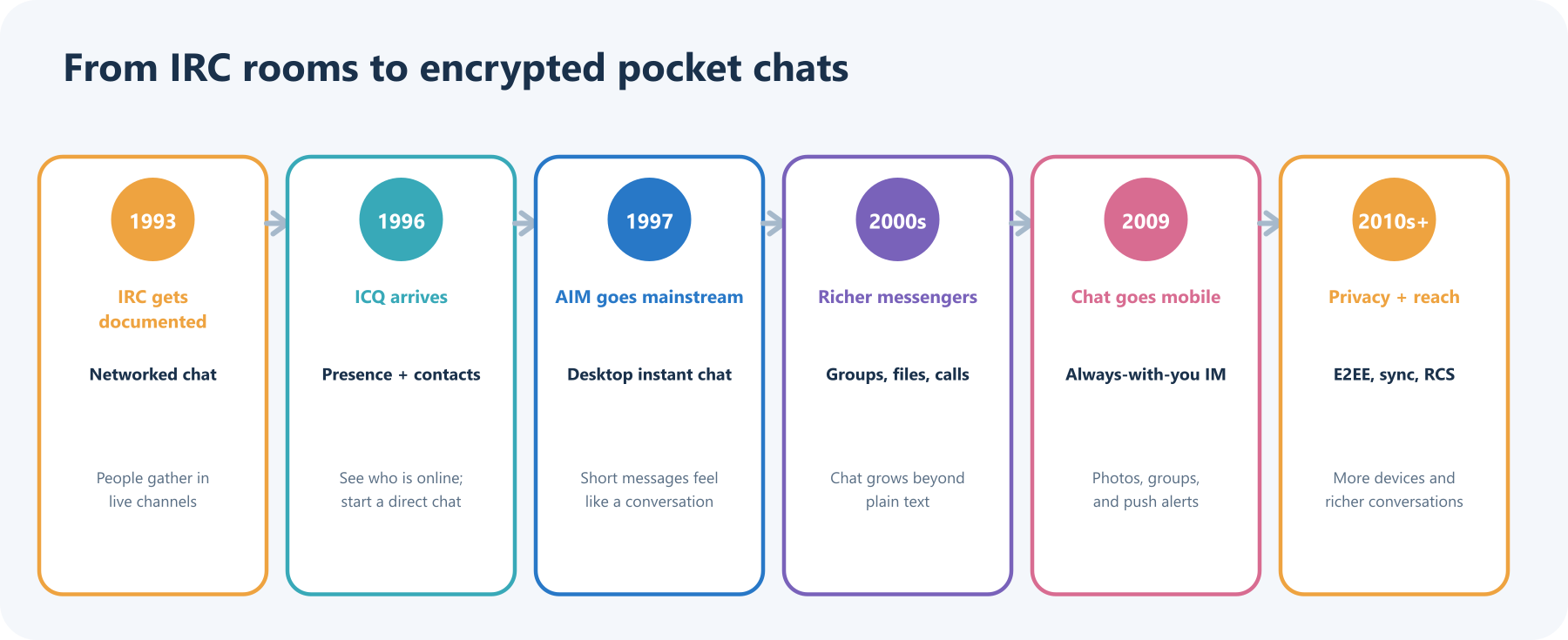
Before “instant messenger” was a desktop icon
Early networked computers already let people leave messages and talk in shared spaces. Internet Relay Chat (IRC) brought users together in live channels. Its protocol was formally documented in RFC 1459 in 1993, describing a network where people could talk one-to-one or in channels. Imagine a digital café with many tables: choose a room, pick a nickname, and join the conversation.
In 1996, ICQ made a different idea feel magical: a contact list could show who was online, ready for a direct chat. AOL Instant Messenger arrived the next year, helping make “send a quick message” a familiar everyday action. The experience was less like sending a letter and more like knocking on a friend’s digital door. This early commercial era is chronicled in Columbia Journalism School’s guide to chat apps and Cisco’s Internet Protocol Journal overview.
The desktop chat room gets richer
During the 2000s, messenger programs added group chats, file transfers, emoticons, voice, and video. Your contact list became a sort of social map: green dot, available; yellow dot, away; custom status, possibly a lyric you would regret in 20 years. Services competed for attention and often used separate accounts and networks, so a friend on one messenger might not be reachable from another.
The web’s open standards offered a different possibility. XMPP, standardized in RFC 3920 in 2004, defined messaging and presence protocols that could support communication across servers. In practice, popular services often built their own networks and features. The dream of “one universal buddy list” ran into the reality of walled gardens.
The phone makes chat the default
When phones became pocket computers with cameras and persistent data connections, messaging stopped being something you did after sitting down at a desktop. Mobile-first services made it natural to send a photo from the bus, coordinate a group dinner, or leave a voice note while walking. WhatsApp describes its origin as an alternative to SMS, and its service grew to support photos, videos, documents, locations, and calls as well as text.
The phone changed the tempo, too. Push notifications made a conversation feel continuous. Read receipts and typing indicators added social cues—and sometimes a little pressure. Group chats turned one-to-one messaging into a living shared space, complete with plans, jokes, photos, and the occasional “who added me to this?” mystery.
Modern chat carries more than text
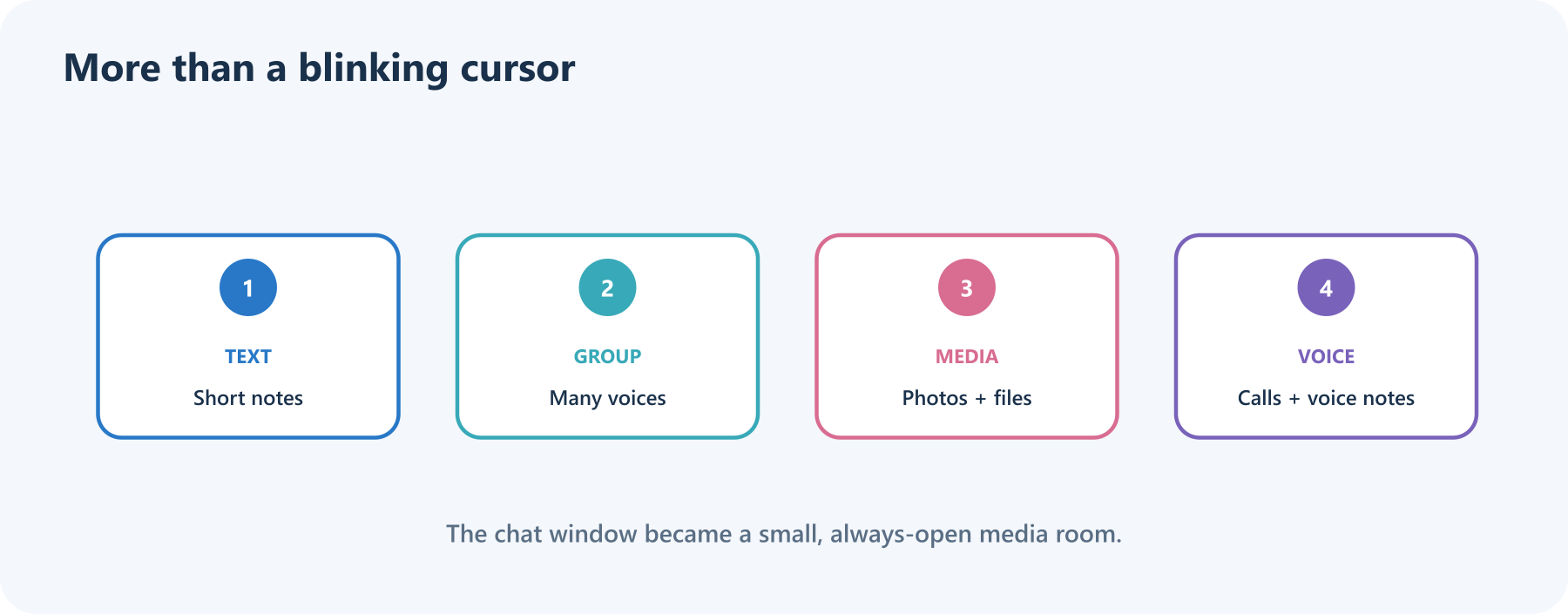
Today’s messaging services blend several kinds of communication. A single thread may hold a quick “On my way,” a high-resolution photo, a shared document, a voice message, and a video call. Internet-based chat can work over Wi-Fi or mobile data and often supports richer media than traditional SMS or MMS, though exact features depend on the app, device, and network.
There is still no single universal chat network. SMS/MMS, RCS, and app-based messaging are distinct systems, even when they appear in the same phone interface. RCS aims to make carrier messaging more capable; Apple added RCS messaging support in iOS 18, including richer media and more reliable group messaging than SMS/MMS. The GSMA’s 2025 RCS Universal Profile 3.1 includes support for end-to-end encryption, but rollout and feature compatibility vary. A label or bubble color alone does not tell you every privacy detail—check the service and conversation indicators.
A lock on the message—and questions around it
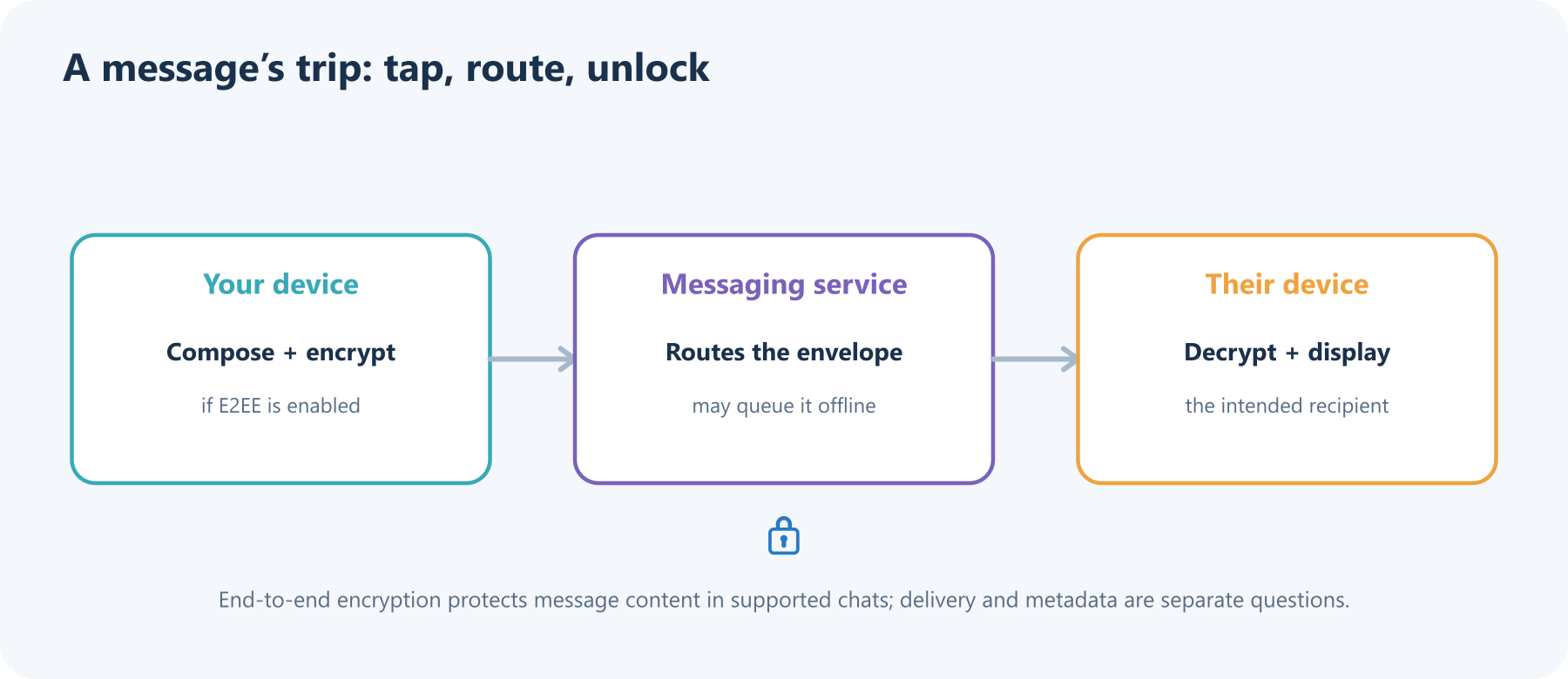
End-to-end encryption (E2EE) means the sender’s device encrypts a message and the recipient’s device decrypts it. In a properly implemented E2EE conversation, the service can route the encrypted package without reading its contents. This is different from an encrypted connection between your phone and a company’s server, where the service might still be able to access the message after it arrives.
Encryption is not the whole privacy story. Services may still handle account details, delivery times, device information, or other metadata. Backups, linked devices, group membership, and reporting features also affect how a conversation is protected. WhatsApp says private messages are E2EE by default; other products and chat modes have different defaults. Signal continues to evolve its open protocol, including a post-quantum ratchet announced in 2025. The useful habit is simple: check whether encryption is on for this specific chat and understand what the service says it can still see.
The next chapter: chat that travels between services
For decades, people had to join the same app to message each other. Newer standards and regulation are pushing some services toward interoperability. In 2025, Meta described third-party messaging chats in WhatsApp for users in Europe, an early step toward communicating across participating apps while maintaining encryption requirements. Interoperability is complicated: identities, spam controls, safety features, and encryption need to work across different systems.
AI is joining chat as well. Some services offer writing suggestions, summaries, search, or assistants inside conversations. Those features can be useful, but they also raise a practical question: does the assistant process your message on-device, in a private cloud environment, or on a general service server? Before sharing sensitive details, know which messages are protected and which features may handle them differently.
What instant messaging changed
Instant messaging compressed the time between “I have something to say” and “you can answer.” It turned presence into a social signal, made group conversation easy, and brought text, images, audio, and video into one ongoing thread. Its history is a steady expansion of what a message can carry—and a continuing negotiation over who can connect, who can read, and who gets to keep the conversation.
The next time a typing indicator appears, remember: behind those three dots are decades of network protocols, product decisions, tiny screens, big ideas, and people who simply wanted to say, “You there?”
Sources and further reading
- RFC 1459: Internet Relay Chat Protocol
- RFC 3920: Extensible Messaging and Presence Protocol
- Columbia Journalism School: Guide to Chat Apps
- Cisco: Instant Messaging
- WhatsApp: About
- Apple: iOS 18 messaging and RCS
- GSMA: RCS Universal Profile 3.1
- Signal: Signal Protocol and Post-Quantum Ratchets
- Meta: Messaging interoperability in WhatsApp
Read next

How to Generate Audio from Text with Text-to-Speech (TTS)
Turn a written script into spoken audio: try your browser’s built-in voice, then generate an MP3 with a modern text-to-speech API. Learn voice selection, SSML pronunciation fixes, and quality checks.
 nbkhope
How to Label AI Data: A Practical Guide to Better Training Examples
Learn to label AI data with a clear task, practical label rules, a small pilot, and quality checks that catch disagreements instead of hiding them. Includes a worked customer-support example.
nbkhope
Build Your Own MCP Server: Give AI a New Superpower
Build a tiny MCP server from scratch: expose a useful tool, connect it to an AI host, test the conversation, and learn the safety checks that turn a fun demo into a solid integration.
nbkhope
Comments
Be kind and specific. Comments with links from new accounts appear after a moderator reviews them.