The History of Docker: From dotCloud to Containers Everywhere
Follow Docker from an internal dotCloud tool to a container ecosystem standard, and see how images, registries, Moby, and open standards shaped modern software delivery.


On this page
The History of Docker: From dotCloud to Containers Everywhere
Docker did not invent the idea of isolating software. Its breakthrough was making containers feel like a practical developer workflow: describe an app, build a portable image, share it, and run it on another machine. That simple loop changed how teams packaged and delivered software.
The story starts inside a cloud company with a shipping problem—and grows into an ecosystem of tools, standards, and projects that reaches well beyond one company’s product.

Before Docker: the container idea was already here
Isolation mechanisms have a longer history than Docker. Unix chroot, FreeBSD jails, Solaris Zones, and Linux namespaces and control groups all contributed ideas or machinery for separating processes and limiting resources. Linux Containers (LXC) brought several Linux kernel features together before Docker arrived.
The hard part for everyday development was not just making isolation possible. It was making an app and its dependencies straightforward to describe, build, transport, and run in a repeatable way. Docker’s early promise was a usable workflow around the underlying operating-system features.
2013: a dotCloud project steps into the spotlight
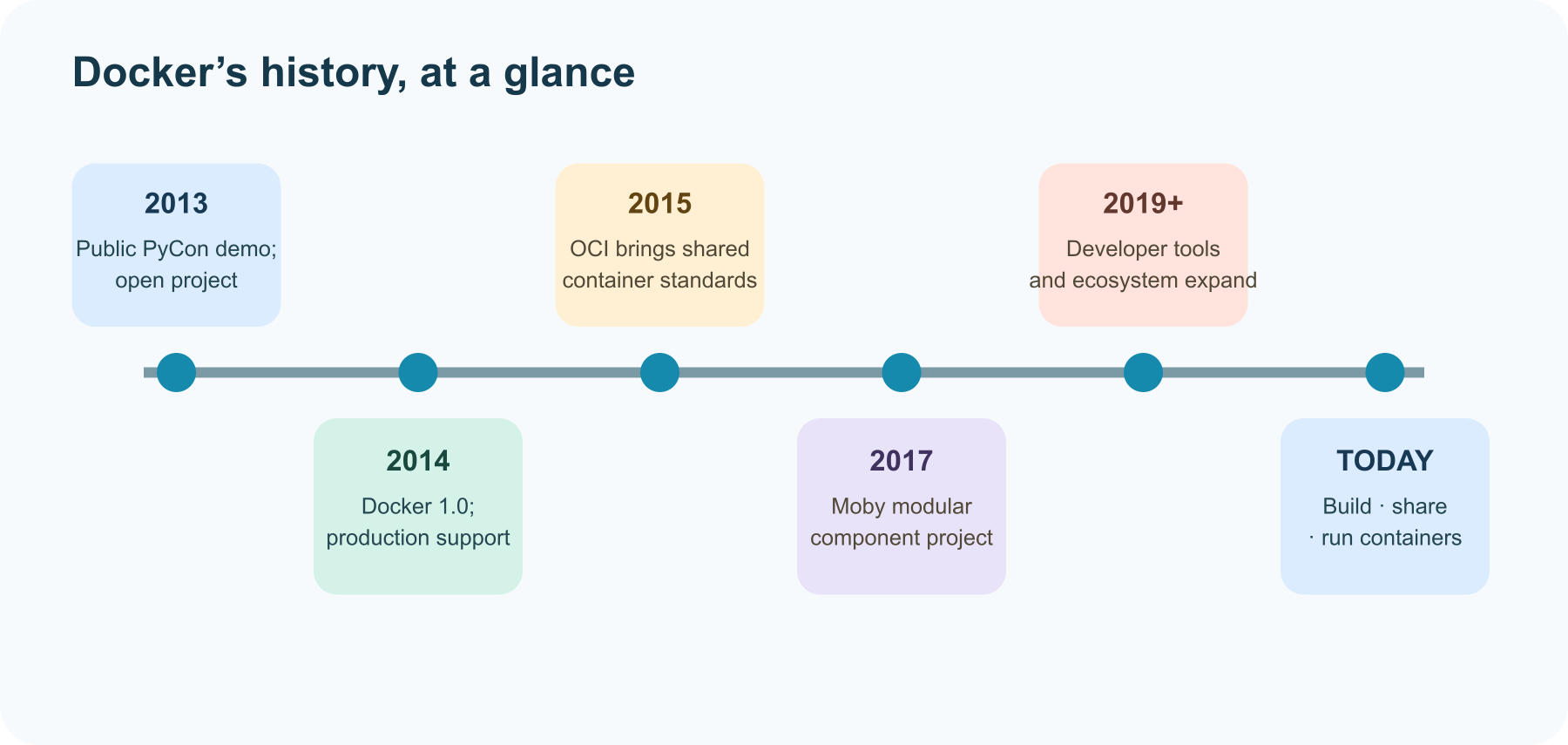
Docker began as an internal project at dotCloud, a platform-as-a-service company founded by Solomon Hykes. Hykes publicly demonstrated Docker at PyCon US in March 2013. Docker’s own anniversary history describes the motivation in memorable developer terms: shipping software to a server was hard.
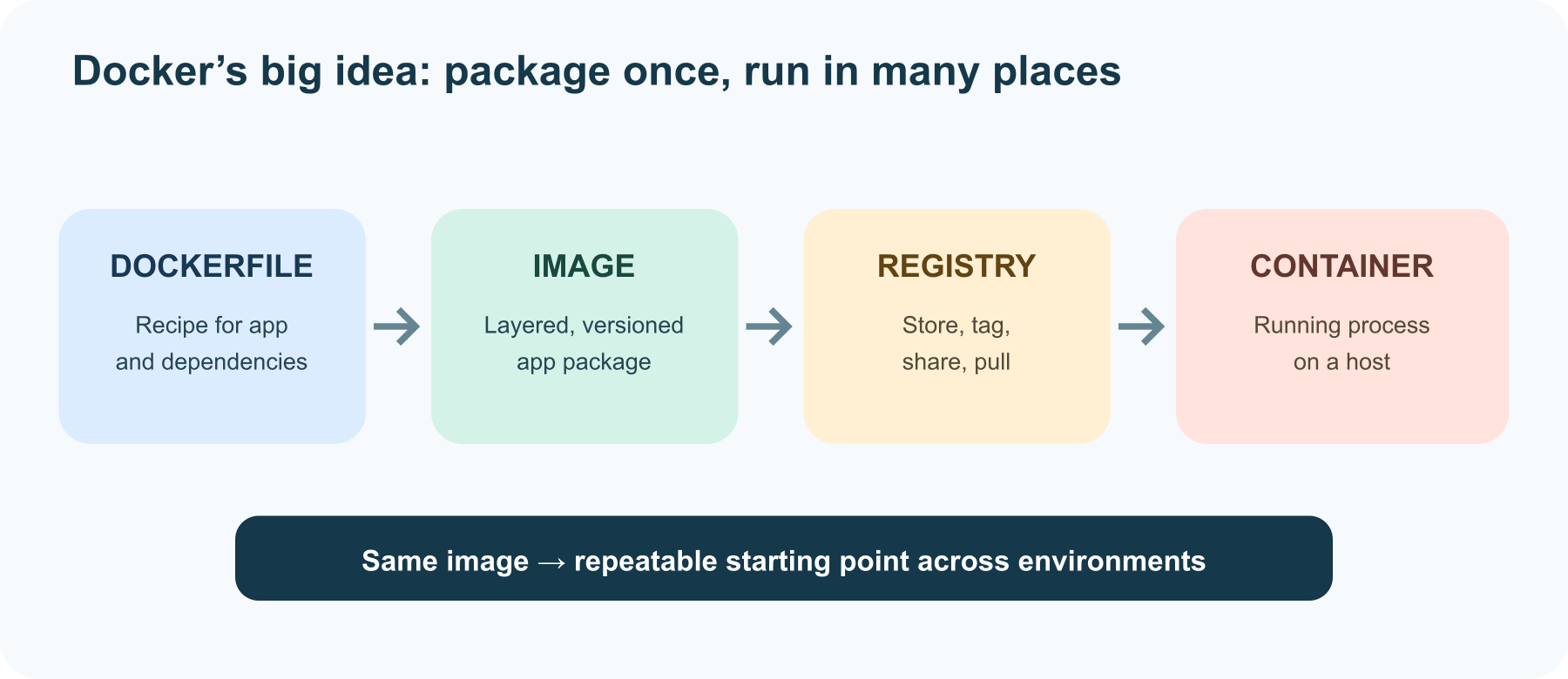
The project’s core idea was compelling: put the application and its dependencies into an image, then use the same image to run the app in different environments. An image could be built in layers, tagged, and shared through a registry. That made the workflow feel more like moving a well-packed lunchbox than reassembling a kitchen at every destination.
In October 2013, dotCloud renamed itself Docker, Inc. and focused the company on the open-source Docker project. The name became both a company brand and, in casual conversation, shorthand for container tools—though containers themselves are a broader technology.
2014: Docker 1.0 signals production ambition
Docker 1.0 arrived on June 9, 2014, with production support, according to the project’s release history. By then Docker was not merely a demo: developers could build images, run containers, and share images through Docker Hub. Dockerfiles offered a text-based way to record build steps, turning an environment into something a team could review and reproduce.
The effect was bigger than “it runs on my laptop.” A team could keep the build recipe beside its code, use the same image in testing and deployment, and pass that image between people or systems. Containers helped reduce differences between environments; they did not remove every difference, but they made an important part of software delivery much easier to repeat.
2015–2017: standards and components widen the ecosystem
In June 2015, Docker joined other industry participants to launch the Open Container Initiative (OCI), a Linux Foundation project for open container formats and runtime standards. Docker contributed its container format and runC runtime as a foundation for that work. The direction mattered: shared specifications meant container images and runtimes could interoperate across a wider ecosystem.
In 2017, Docker announced Moby as an open project for assembling container systems from components. The goal was to make underlying pieces reusable by system builders while keeping Docker’s developer-facing product familiar. The company described components such as containerd and runC as part of that modular ecosystem.
The Docker and Kubernetes connection
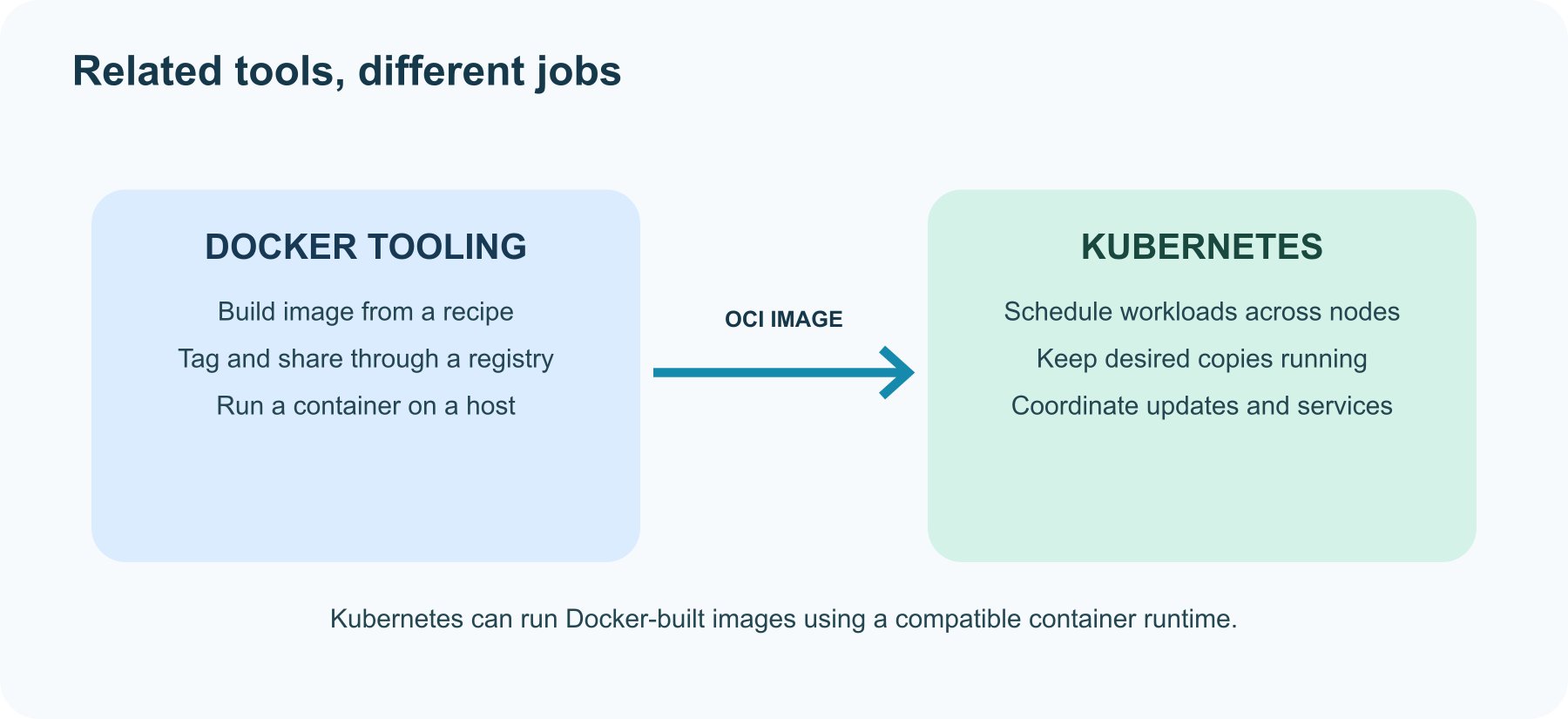
Docker and Kubernetes are related, but they do different jobs. Docker tools help developers build, package, and run containers. Kubernetes coordinates containerized workloads across a cluster of machines: where to place them, how many copies to keep, and how to respond when something changes.
Early Kubernetes supported Docker Engine directly. As container runtimes multiplied, Kubernetes created the Container Runtime Interface (CRI), a standard way for its node agent to communicate with runtimes. Kubernetes later removed its built-in dockershim code in version 1.24. That change was about the runtime connection—not about Docker images becoming invalid. An image built with Docker can still run on a Kubernetes cluster using a compatible runtime.
Docker today: a workflow, a platform, and an ecosystem
Docker now commonly refers to a collection of developer tools and services, including Docker Engine, Docker Desktop, the Docker CLI, Compose, image distribution, and related build tooling. Underneath, the broader container ecosystem includes open projects and specifications maintained by different communities. The Docker documentation describes the core loop simply: build, share, and run containerized applications.
That is the historical through-line. Docker made containers feel approachable by giving developers a consistent way to package and move software. Open standards and modular projects then let the wider ecosystem build on the idea in many different ways.
Further reading
Read next

How to Generate Audio from Text with Text-to-Speech (TTS)
Turn a written script into spoken audio: try your browser’s built-in voice, then generate an MP3 with a modern text-to-speech API. Learn voice selection, SSML pronunciation fixes, and quality checks.
 nbkhope
How to Label AI Data: A Practical Guide to Better Training Examples
Learn to label AI data with a clear task, practical label rules, a small pilot, and quality checks that catch disagreements instead of hiding them. Includes a worked customer-support example.
nbkhope
Build Your Own MCP Server: Give AI a New Superpower
Build a tiny MCP server from scratch: expose a useful tool, connect it to an AI host, test the conversation, and learn the safety checks that turn a fun demo into a solid integration.
nbkhope
Comments
Be kind and specific. Comments with links from new accounts appear after a moderator reviews them.